
Built by the makers of Ailine Studio · First whiteboard built for AI-generated diagrams
The Whiteboard With Animated Arrows, Built to Explain, Not Just Draw
Dashed flowing arrows. Moving dots. Import any diagram straight from Ailine Studio. Doodle, animate, and explain on your laptop, tablet, or phone.
Every other whiteboard gives you static lines. Ailine Studio's whiteboard gives your ideas motion, dashed arrows that flow, dots that travel along your connections, so the direction and flow of your explanation is impossible to miss. Built for creators who need people to actually pay attention to what they're explaining.
Works on desktop, tablet, and phone · Import diagrams from Ailine Studio · No design skill needed
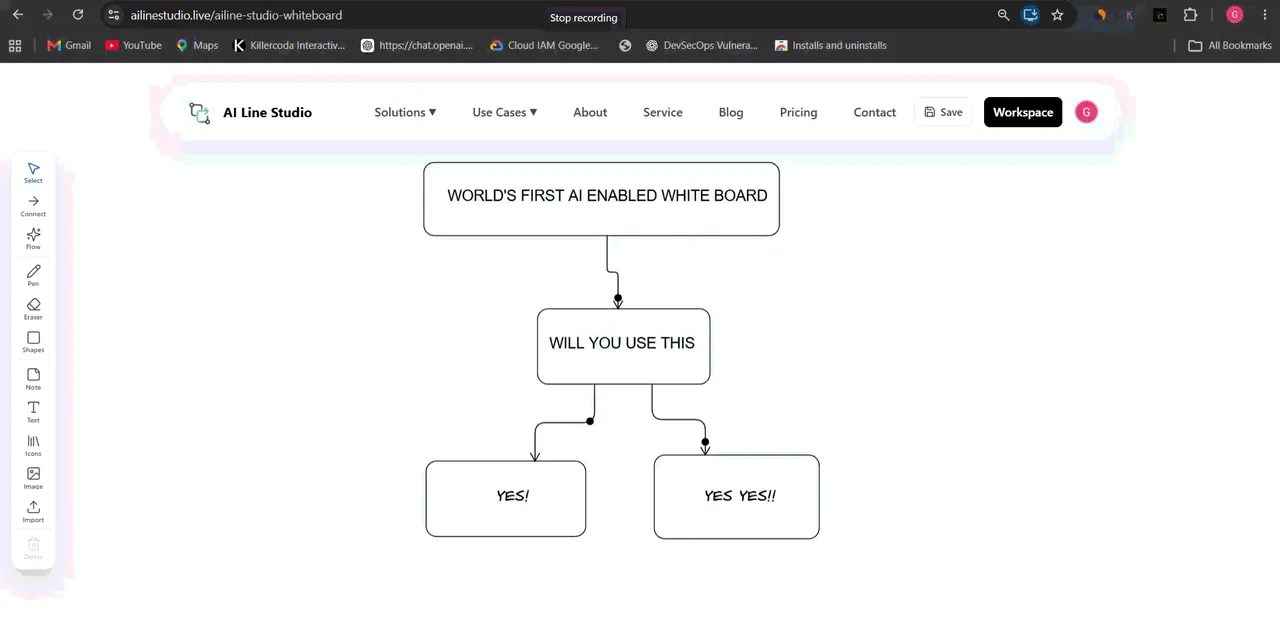
What Makes This Whiteboard Different
An animated whiteboard for explainer videos and a whiteboard tool for content creators, focused on motion, not just sketching.
- Dashed flowing arrows that animate direction, not just static lines
- Flowing dot animations along connections to show movement and flow
- Import any diagram you build in Ailine Studio directly onto the whiteboard
- Doodle, annotate, and explain on top of imported diagrams
- Fully responsive, works the same on phone, tablet, and desktop
- Built specifically for explaining ideas on camera, not generic drawing
Who It's For
A whiteboard app for teachers and creators, coding YouTubers, and founders who need the best whiteboard app to explain complex topics without losing the audience.
- Content creators explaining a concept to an audience
- Educators and coaches teaching on camera or in class
- Coding/tech YouTubers walking through system diagrams
- Founders explaining "how it works" in a pitch or demo
- Anyone who needs an idea to actually hold attention
How It Works
1. Start with a blank whiteboard or import from Ailine Studio
Bring in any architecture or system diagram you already built, including ones from the AI SaaS System Architecture Generator or diagrams you explored with the GitHub Repo Architecture Diagram Generator. Import diagram to whiteboard in one step, then explain on top.
2. Add animated arrows and flowing dots
Show direction and movement, not just static connections. Dashed flowing arrows and moving dots turn a flat sketch into an animated flow diagram whiteboard your audience can follow.
3. Doodle and annotate on top
Explain in your own words, right on the canvas. This doodle and explain tool online is built for talking through ideas, not polishing perfect vector art.
4. Record or present on any device
Works the same whether you're on a laptop, tablet, or phone. Use it as a whiteboard app that works on mobile and tablet when you record an explainer video from a mobile-first setup.
See It in Action
Watch how flowing arrows and dots turn a static diagram into something your audience actually follows, how to make animated arrow diagrams for videos without a separate motion tool.
Frequently Asked Questions
Make your next explanation impossible to ignore
Animated arrows. Flowing dots. Diagrams imported straight from Ailine Studio. Try the whiteboard free.
online whiteboard to record explainer video · whiteboard tool with flowing arrow animation · AI whiteboard tool