I’ve been using it for cloud architecture diagrams and it makes the initial design process much quicker. Instead of manually adding every service and connection, I can get the basic structure ready and then focus on refining the architecture.
Gautham Rao
Cloud Engineer
I found this useful for getting architecture ideas into a visual format quickly. The generated diagram gives me a good starting point, and I can make the necessary changes depending on the project.
Samuel Carter
Solution Architect
What I like most is the speed at which I can get a cloud architecture onto the canvas. I can start with the overall design and then work through the individual services and connections.
Bilal Sarwar
Cloud Architect
I tried it for a cloud architecture and found it useful for getting the first version of the diagram ready quickly. I would still review and adjust the architecture before using it in production, but it saves a lot of time.
Ethan Brooks
DevOps Engineer
I’ve found this useful when I need to understand and communicate how different components of a cloud system fit together. Getting a visual representation quickly makes it easier to discuss the design with other engineers.
Abhijeet Kumar
Software Engineer
I work with cloud-based architectures regularly, and this is a convenient way to get the initial diagram done. The generated structure gives me something practical to work from, so I can spend more time reviewing the architecture.
Jansher Mughal
Senior Cloud Engineer
I’ve used it to put together a few architecture diagrams and the main benefit for me is the time saved. I can get the major services and relationships onto the diagram quickly and then make the changes required for the actual infrastructure.
Daniel Wilson
DevOps Engineer
Pretty useful when you need a cloud diagram without spending too much time building one from scratch. I like that I can get the main architecture down quickly and then refine the details myself.
Amit Nayak
Cloud Engineer
I found the canvas useful for organizing infrastructure components visually. Being able to move things around and refine the architecture makes it easier to work through different design options.
Nikhil Sangale
Infrastructure Engineer
This makes the first stage of architecture design much faster. I can get a reasonable diagram from an initial idea and then focus on whether the architecture actually meets the requirements.
Sagar Movaliya
Solution Architect
The biggest advantage for me is reducing the manual work involved in creating the first version of an architecture diagram. Once the basic structure is there, I can spend more time checking the services and dependencies.
Chetan Shah
Cloud Engineer
I’ve tried it with cloud infrastructure designs and found it useful for quickly visualizing the overall setup. It doesn’t replace the architecture review process, but it makes getting to the first usable diagram much faster.
Nitesh Verma
Senior DevOps Engineer
I like the fact that I can start with an architecture idea instead of a blank canvas. The initial diagram gives me something to work with and makes it easier to iterate through different architecture approaches.
Disant Baldha
Cloud Architect
I found it helpful for turning a system design into something easier to understand visually. It’s especially useful when explaining the relationship between application services, databases, networking, and infrastructure.
Suman Prasad
Software Engineer
Creating infrastructure diagrams manually can become quite repetitive, especially for larger systems. This gives me a quicker starting point and lets me focus on reviewing the actual infrastructure.
Ashish Kumar
Infrastructure Engineer
I’ve used it for a few cloud designs and found the workflow quite straightforward. Getting the initial architecture generated quickly is useful, and I can then go through the diagram and adjust anything needed.
Arjun Rajput
Cloud Engineer
The architecture generator is useful when I need to get a visual version of an infrastructure idea quickly. I still prefer to review and modify the final diagram myself, but having the initial structure already there saves time.
Rohan Mehta
DevOps Engineer
I tried it with a cloud architecture and found it useful for getting from an idea to a working diagram quickly. It’s particularly helpful during the early design stage when comparing different components.
Adarsh Anand
Solution Architect
I found this useful for creating the first version of a cloud architecture without manually placing everything on the canvas. The generated structure gives me a good base to work from.
Manish Kumar
Cloud Engineer
I like having a quick way to visualize infrastructure and service relationships. For larger systems, seeing the components together makes it easier to reason about dependencies and discuss how the architecture should be structured.
Rudra Arora
Site Reliability Engineer
This is useful when working on cloud designs where the diagram needs to be prepared quickly. It handles much of the initial diagramming work, which means I can spend more time reviewing the architecture.
Gaurav Jalap
Senior Cloud Engineer
I’ve found it useful for architecture documentation and technical discussions. Getting a structured diagram ready quickly makes it easier to explain the overall system to engineers and stakeholders.
Bhavesh Desai
Cloud Architect
I tried the architecture generator for a cloud setup and it gave me a useful starting point. I normally make some changes to the final design, but getting the main components and connections in place saves time.
Rudra Chand
DevOps Engineer
The canvas works well for working through infrastructure designs. I can move components around and adjust the layout as the architecture changes, which is useful when you’re still figuring out the best way to structure a system.
Subhash Patel
Infrastructure Engineer
I’ve used the generator for cloud architecture work and found it useful for getting a first draft together quickly. It takes care of much of the repetitive drawing work while still allowing me to refine the diagram afterwards.
Arjun Sharma
Cloud Engineer
For architecture work, getting the first visual representation quickly is valuable. I can start with the overall design, review the generated structure, and then refine the components based on the actual requirements.
Chirag Shah
Principal Cloud Architect
I liked how quickly I could get an architecture idea into a proper diagram. It gives me a useful base to work from instead of spending time creating every component manually.
Piyush Shrivastava
Cloud Architect
I found the architecture generation workflow quite practical. It handles a lot of the repetitive work involved in creating the initial diagram, while I can still review everything and change the design based on the infrastructure.
Ethan Hunt
DevOps Engineer
The canvas is useful for organizing a system visually and working through how the different components connect. I like being able to change the layout as the design evolves.
Karan Malhotra
Software Engineer
I’ve found this helpful when I need to create a cloud architecture diagram in a short amount of time. The generated structure gives me something to review and refine, so I can focus on the actual architecture decisions.
Ujjwal Mehta
Solution Architect
I’ve been using it for cloud architecture diagrams and it makes the initial design process much quicker. Instead of manually adding every service and connection, I can get the basic structure ready and then focus on refining the architecture.
Gautham Rao
Cloud Engineer
I found this useful for getting architecture ideas into a visual format quickly. The generated diagram gives me a good starting point, and I can make the necessary changes depending on the project.
Samuel Carter
Solution Architect
What I like most is the speed at which I can get a cloud architecture onto the canvas. I can start with the overall design and then work through the individual services and connections.
Bilal Sarwar
Cloud Architect
I tried it for a cloud architecture and found it useful for getting the first version of the diagram ready quickly. I would still review and adjust the architecture before using it in production, but it saves a lot of time.
Ethan Brooks
DevOps Engineer
I’ve found this useful when I need to understand and communicate how different components of a cloud system fit together. Getting a visual representation quickly makes it easier to discuss the design with other engineers.
Abhijeet Kumar
Software Engineer
I work with cloud-based architectures regularly, and this is a convenient way to get the initial diagram done. The generated structure gives me something practical to work from, so I can spend more time reviewing the architecture.
Jansher Mughal
Senior Cloud Engineer
I’ve used it to put together a few architecture diagrams and the main benefit for me is the time saved. I can get the major services and relationships onto the diagram quickly and then make the changes required for the actual infrastructure.
Daniel Wilson
DevOps Engineer
Pretty useful when you need a cloud diagram without spending too much time building one from scratch. I like that I can get the main architecture down quickly and then refine the details myself.
Amit Nayak
Cloud Engineer
I found the canvas useful for organizing infrastructure components visually. Being able to move things around and refine the architecture makes it easier to work through different design options.
Nikhil Sangale
Infrastructure Engineer
This makes the first stage of architecture design much faster. I can get a reasonable diagram from an initial idea and then focus on whether the architecture actually meets the requirements.
Sagar Movaliya
Solution Architect
The biggest advantage for me is reducing the manual work involved in creating the first version of an architecture diagram. Once the basic structure is there, I can spend more time checking the services and dependencies.
Chetan Shah
Cloud Engineer
I’ve tried it with cloud infrastructure designs and found it useful for quickly visualizing the overall setup. It doesn’t replace the architecture review process, but it makes getting to the first usable diagram much faster.
Nitesh Verma
Senior DevOps Engineer
I like the fact that I can start with an architecture idea instead of a blank canvas. The initial diagram gives me something to work with and makes it easier to iterate through different architecture approaches.
Disant Baldha
Cloud Architect
I found it helpful for turning a system design into something easier to understand visually. It’s especially useful when explaining the relationship between application services, databases, networking, and infrastructure.
Suman Prasad
Software Engineer
Creating infrastructure diagrams manually can become quite repetitive, especially for larger systems. This gives me a quicker starting point and lets me focus on reviewing the actual infrastructure.
Ashish Kumar
Infrastructure Engineer
I’ve used it for a few cloud designs and found the workflow quite straightforward. Getting the initial architecture generated quickly is useful, and I can then go through the diagram and adjust anything needed.
Arjun Rajput
Cloud Engineer
The architecture generator is useful when I need to get a visual version of an infrastructure idea quickly. I still prefer to review and modify the final diagram myself, but having the initial structure already there saves time.
Rohan Mehta
DevOps Engineer
I tried it with a cloud architecture and found it useful for getting from an idea to a working diagram quickly. It’s particularly helpful during the early design stage when comparing different components.
Adarsh Anand
Solution Architect
I found this useful for creating the first version of a cloud architecture without manually placing everything on the canvas. The generated structure gives me a good base to work from.
Manish Kumar
Cloud Engineer
I like having a quick way to visualize infrastructure and service relationships. For larger systems, seeing the components together makes it easier to reason about dependencies and discuss how the architecture should be structured.
Rudra Arora
Site Reliability Engineer
This is useful when working on cloud designs where the diagram needs to be prepared quickly. It handles much of the initial diagramming work, which means I can spend more time reviewing the architecture.
Gaurav Jalap
Senior Cloud Engineer
I’ve found it useful for architecture documentation and technical discussions. Getting a structured diagram ready quickly makes it easier to explain the overall system to engineers and stakeholders.
Bhavesh Desai
Cloud Architect
I tried the architecture generator for a cloud setup and it gave me a useful starting point. I normally make some changes to the final design, but getting the main components and connections in place saves time.
Rudra Chand
DevOps Engineer
The canvas works well for working through infrastructure designs. I can move components around and adjust the layout as the architecture changes, which is useful when you’re still figuring out the best way to structure a system.
Subhash Patel
Infrastructure Engineer
I’ve used the generator for cloud architecture work and found it useful for getting a first draft together quickly. It takes care of much of the repetitive drawing work while still allowing me to refine the diagram afterwards.
Arjun Sharma
Cloud Engineer
For architecture work, getting the first visual representation quickly is valuable. I can start with the overall design, review the generated structure, and then refine the components based on the actual requirements.
Chirag Shah
Principal Cloud Architect
I liked how quickly I could get an architecture idea into a proper diagram. It gives me a useful base to work from instead of spending time creating every component manually.
Piyush Shrivastava
Cloud Architect
I found the architecture generation workflow quite practical. It handles a lot of the repetitive work involved in creating the initial diagram, while I can still review everything and change the design based on the infrastructure.
Ethan Hunt
DevOps Engineer
The canvas is useful for organizing a system visually and working through how the different components connect. I like being able to change the layout as the design evolves.
Karan Malhotra
Software Engineer
I’ve found this helpful when I need to create a cloud architecture diagram in a short amount of time. The generated structure gives me something to review and refine, so I can focus on the actual architecture decisions.
Ujjwal Mehta
Solution Architect


 AWS Cloud
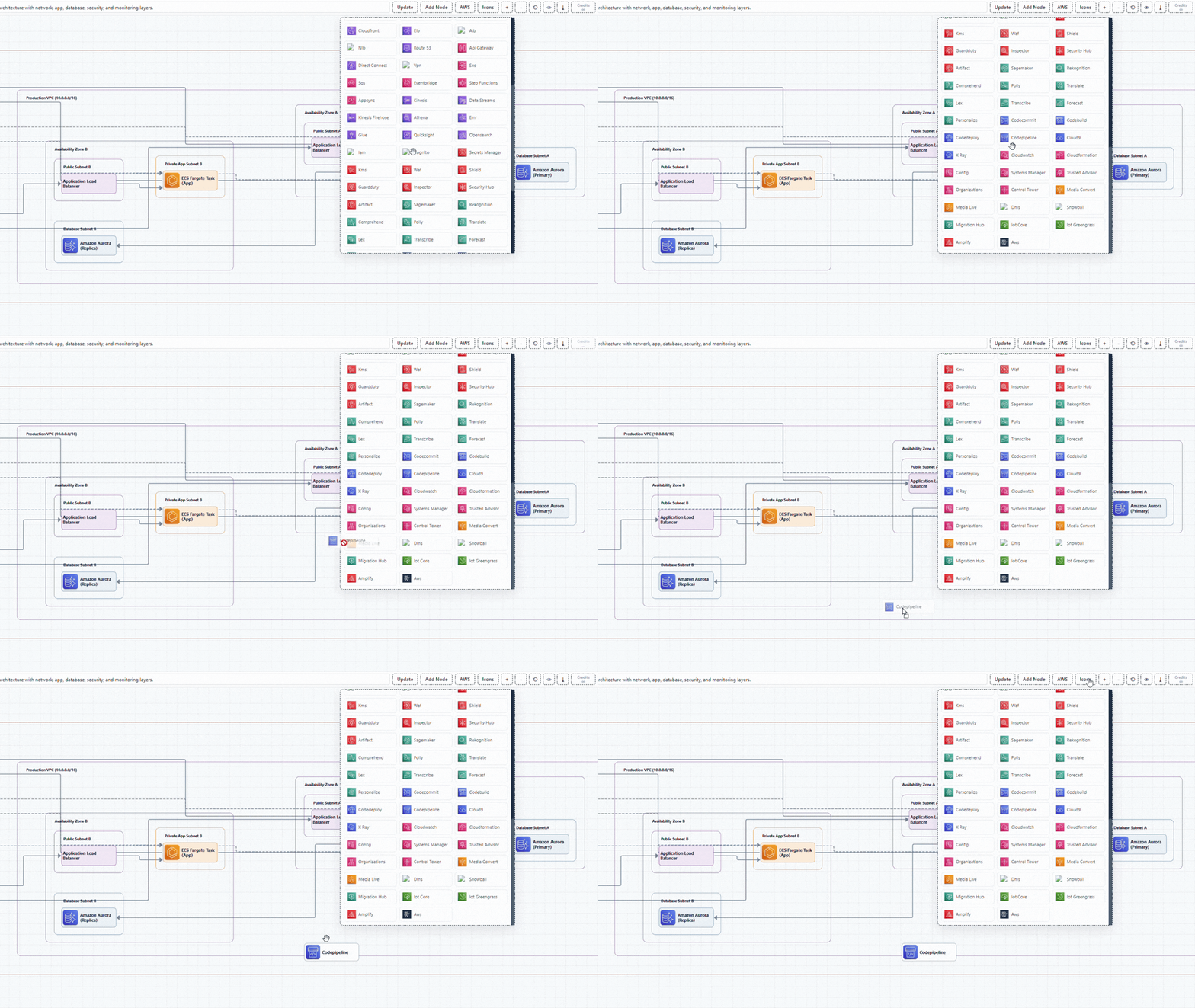
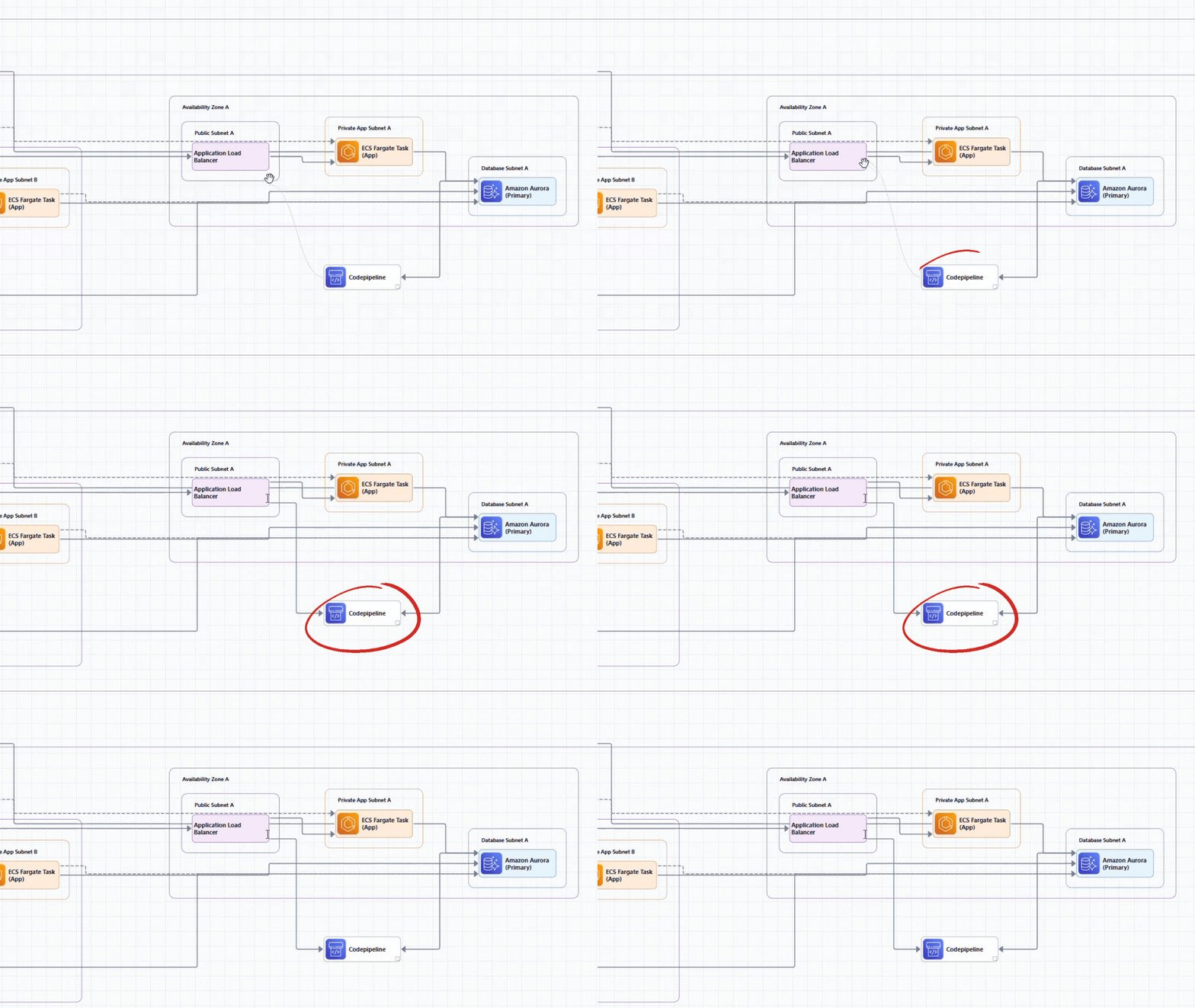
 VPC: Production (10.0.0.0/16)






 VPC: Main Network



































































































































































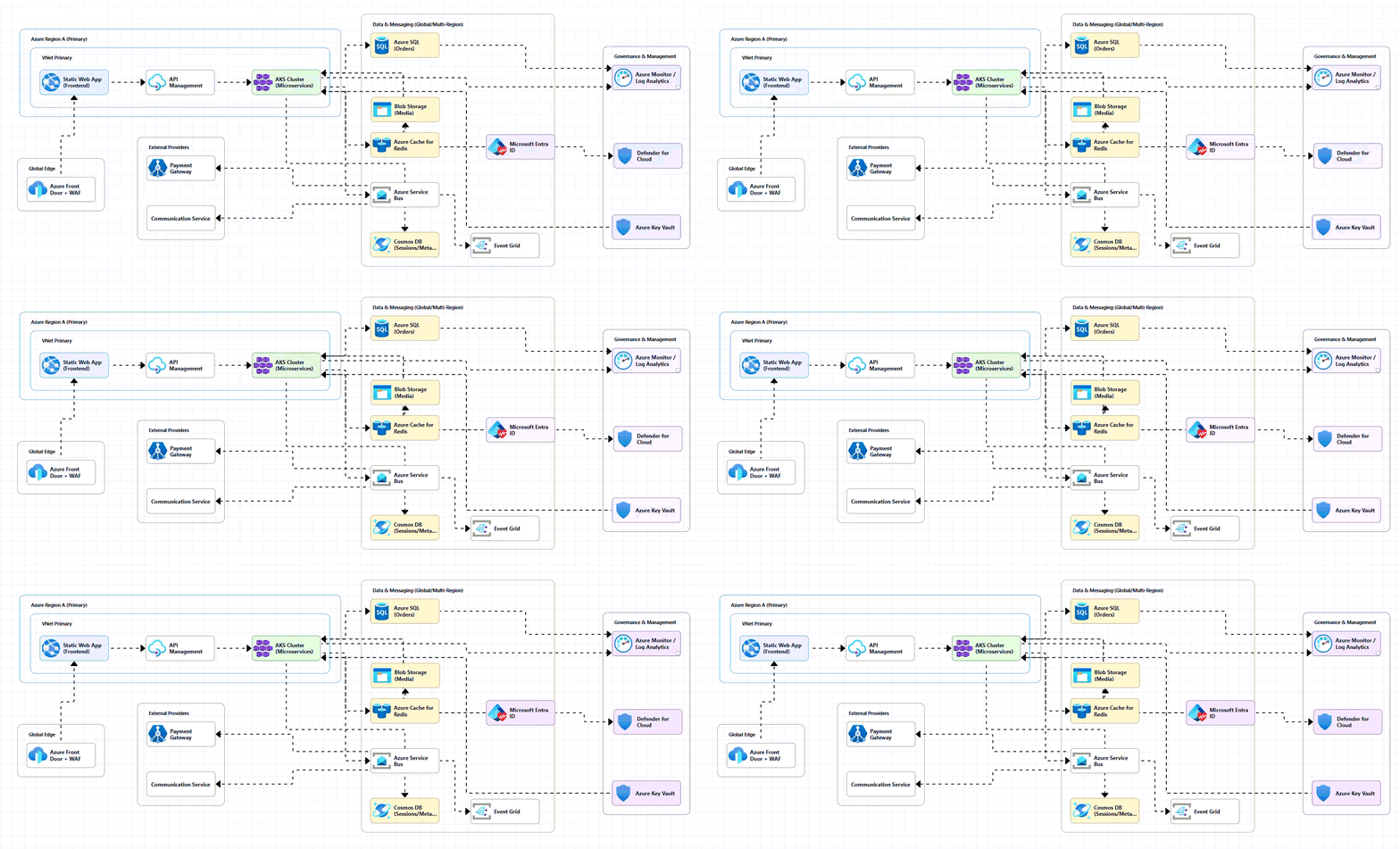


 VNet Primary


 Production Compartment
 Banking VCN (10.0.0.0/16)


