
AWS Bedrock Architecture Diagram: A Complete Guide to Building Generative AI Applications
Building production-ready generative AI applications on AWS requires a clear understanding of how Amazon Bedrock fits into your overall architecture. Bedrock is the easiest way to build and scale generative AI applications with foundation models (FMs), but it's not a plug-and-play solution. You need to design around data privacy, cost control, security boundaries, and integration patterns that work at scale.
This guide walks through the Amazon Bedrock architecture, what it is, the core components you'll use, common patterns like RAG and agentic AI, and the best practices that separate production systems from proof-of-concept demos.
Cloud Architecture
Create cloud architecture diagrams for AWS, Azure, GCP, and more. Design scalable infrastructure with professional cloud icons.
Complete guide to Amazon Bedrock architecture, RAG with Knowledge Bases, Bedrock Agents, AI gateway patterns, security, and production best practices.
Click Cloud Architecture to open AI Line Studio and generate diagrams from natural language in seconds.
What Is Amazon Bedrock?
Amazon Bedrock is a fully managed service that provides access to foundation models from Amazon and leading AI companies through a single API. It abstracts away the complexity of model deployment, scaling, and infrastructure management, letting you focus on building applications rather than managing AI infrastructure.
- Web/Mobile Application: Users interact through a custom frontend. Amazon CloudFront serves static content from S3, with Amazon Cognito handling authentication.
- API Gateway: Serves as the managed entry point between client applications and backend logic, handling authentication, validation, throttling, and caching.
- Chat Interface: For conversational applications, a web interface sends user messages to the backend and displays streaming responses.
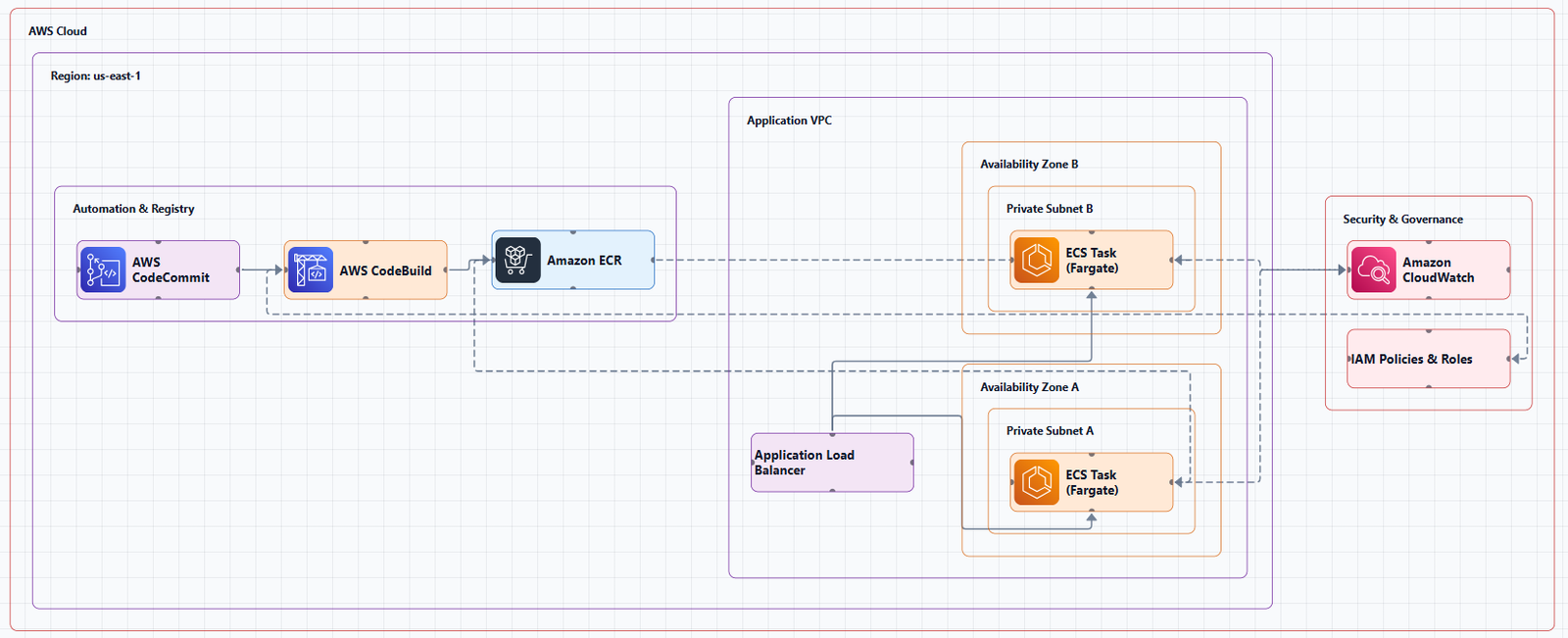
At a high level, Bedrock sits between your application code and the underlying foundation models. Your application sends requests to Bedrock's API, Bedrock routes them to the appropriate model (with optional guardrails, knowledge base retrieval, or agent orchestration), and returns the response.
What makes Bedrock different from running models directly is the managed layer: you get built-in features for RAG, agent orchestration, guardrails, and model selection without having to build those capabilities yourself. But that convenience comes with architectural decisions about how your application integrates with Bedrock, how you secure access, and how you control costs.
Core Components of an Amazon Bedrock Architecture
A typical Bedrock application consists of several layers, each with specific AWS services.
1. Application Entry Layer
This is where users interact with your generative AI application. Common patterns include:
2. Integration and Orchestration Layer
This layer processes user requests and coordinates interactions with Bedrock:
- AWS Lambda: The primary compute engine for most Bedrock applications. Lambda functions handle request processing, invoke Bedrock APIs, and implement business logic. Lambda integration acts as a dynamic request forwarder that signs incoming requests with AWS credentials and routes them to the appropriate Bedrock endpoints.
- Amazon API Gateway: Serves as the entry point for requests, providing capabilities like authorization, request throttling, and lifecycle management.
- Amazon Bedrock Agents: Automate prompt engineering, invoke foundation models, and orchestrate user-requested tasks by dynamically invoking APIs.
- Amazon Bedrock AgentCore: A managed, serverless service for building, deploying, and securely operating agentic applications on AWS. It provides built-in support for identity management and is designed to make multi-tenant agent architectures straightforward to build.
3. Foundation Model Layer
This is where Bedrock provides access to foundation models:
- On-demand compute: Pay-per-invocation model access.
- Provisioned capacity: Reserved capacity for predictable workloads.
- Model selection: Access to models from Anthropic, Cohere, Amazon, and others through a unified API.
4. Knowledge and Data Layer
For RAG applications, this layer manages your custom data:
- Knowledge Bases for Amazon Bedrock: Fully managed RAG that automates the end-to-end workflow. Knowledge Bases automatically take unstructured text data stored in Amazon S3, convert it to text chunks and vectors, and store it in a vector database.
- Vector Stores: Supported options include Amazon OpenSearch Serverless, Amazon Aurora PostgreSQL, Pinecone, MongoDB Atlas, and Amazon S3 Vectors.
- Amazon S3: Primary storage for source documents, configuration files, and artifacts.
5. Security and Governance Layer
- AWS IAM: Provides least-privilege access controls and integrates with Amazon Cognito for role and policy management.
- Amazon Bedrock Guardrails: Implements safeguards for generative AI applications, filtering undesirable content and protecting against data leaks.
- VPC Endpoints: Private connectivity to Bedrock without traversing the internet.
6. Observability Layer
- Amazon CloudWatch: Logging, metrics, and alarms for all Bedrock invocations.
- AWS X-Ray: Distributed tracing for debugging complex request flows.
Common Bedrock Architecture Patterns
Pattern 1: Basic Inference API
The simplest pattern: your application calls Bedrock directly for model inference.
Components: Application → Amazon Bedrock API → Foundation Model
When to use: Simple use cases where you don't need RAG, agents, or complex orchestration. Examples include content generation, summarization, or simple classification.
When NOT to use: Any application requiring custom data (RAG), multi-step reasoning, or enterprise security controls.
Pattern 2: RAG with Knowledge Bases
The most common production pattern for Bedrock applications. RAG enhances model responses with your proprietary data.
Full RAG Workflow:
- Pre-processing: Knowledge Bases for Amazon Bedrock segments source documents into manageable chunks.
- Embedding: Chunks are converted into embeddings using a Bedrock embedding model, facilitating semantic analysis.
- Vector Storage: Embeddings power a vector store index (OpenSearch, Aurora, etc.), enabling semantic similarity comparisons.
- User Query: A user provides a natural language query, which is transformed into vectors using a Bedrock embedding model.
- Retrieval: The system performs semantic similarity searches on the knowledge base to retrieve relevant text.
- Augmentation: Retrieved text augments the base prompt with additional context.
- Generation: The foundation model generates a response grounded in your data.
Components: Application → API Gateway → Lambda → Bedrock Knowledge Bases → Vector Store (OpenSearch/Aurora) → Bedrock FM
When to use: Applications that need to answer questions based on your proprietary data, customer support, internal knowledge bases, document Q&A.
When NOT to use: When your use case doesn't require custom data (general Q&A, creative writing) or when latency requirements are extremely tight (RAG adds retrieval latency).
Pattern 3: Agentic AI with Bedrock Agents
Agents extend beyond simple Q&A to execute actions and orchestrate multi-step workflows.
How Bedrock Agents work:
- A user provides a natural language query.
- Agents interpret the user input using conversation history, agent instructions, and the underlying foundation model.
- Knowledge Bases provide managed RAG for access to customer data.
- Action groups (APIs and corresponding business logic) are defined with OpenAPI schemas stored in S3.
- During orchestration, Agents use ReAct prompting to run an optimal set of actions to complete the task, incorporating API invocations and knowledge base queries.
- The reasoning process continues until Agents provide a final response or prompt the user for further information.
Agentic AI architecture enables businesses to streamline operations, enhance decision-making, and automate complex tasks. These systems are composed of multiple AI agents that converse with each other or execute complex tasks through choreographed or orchestrated processes.
Two coordination patterns:
- Synchronous orchestration: A supervisor agent orchestrates multi-agent collaboration, maintaining a high-level view while directing task flow.
- Asynchronous choreography: Event-driven pattern where agents operate autonomously, triggered by events or state changes.
Components: Application → API Gateway → Lambda → Bedrock Agent → Knowledge Bases (optional) → Action Group Lambdas → Internal Systems
When to use: Complex, multi-step tasks that require reasoning, planning, and integration with existing systems, order processing, insurance claims, IT automation.
When NOT to use: Simple Q&A that doesn't require actions or multi-step reasoning.
Pattern 4: AI Gateway Pattern
For enterprise-scale deployments, an AI gateway provides centralized control over Bedrock access.
Core components:
- Amazon Route 53 (optional): Manages custom domain routing.
- Amazon API Gateway: Entry point providing authorization, request throttling, and lifecycle management.
- AWS Lambda authorizer: Handles request authorization (e.g., JWT validation).
- Lambda integration: Dynamic request forwarder that signs requests and routes them to Bedrock endpoints.
Capabilities: Request authorization with integration into existing identity systems, usage quotas and request throttling, lifecycle management, canary releases, and AWS WAF integration. The gateway also supports response streaming for real-time delivery of model outputs.
When to use: Enterprises needing centralized governance, tenant isolation, cost control, and audit across multiple teams and applications.
When NOT to use: Small teams with a single application and limited governance requirements.
Pattern 5: Serverless Chatbot Architecture
A complete serverless pattern using Bedrock with Knowledge Bases and Agents.
Full architecture:
- Users access a webpage served by CloudFront, backed by S3 for website and configuration storage.
- Users authenticate with Amazon Cognito.
- Lambda uses API Gateway to handle user requests.
- Lambda invokes Agents for Amazon Bedrock using the InvokeAgent API.
- Agents query Knowledge Bases Retrieve APIs to retrieve relevant text from OpenSearch Service.
- Agents invoke Lambda functions from action groups to execute actions like placing orders, searching locations, or retrieving history.
- Lambda integrates with internal systems and DynamoDB.
When to use: Production chatbots that need personalization, action execution, and integration with existing systems.
Security and Networking Architecture
As organizations adopt Bedrock for large-scale AI applications, understanding and implementing network access controls is critical. These generative AI applications might have access to sensitive or confidential information within their knowledge bases, RAG data sources, or models themselves.
Baseline Architecture in an AWS Landing Zone
A well-architected Bedrock deployment follows a multi-account structure:
- Service network account: Central networking hub managing connectivity and access policies.
- Generative AI account: Hosts Bedrock capabilities and serves as the central point for AI/ML management.
- Workload accounts (dev, test, prod): Different environments where teams develop and deploy applications that consume AI services.
Key Security Controls
VPC Endpoints: Private connectivity to Bedrock without traversing the internet. Bedrock provides a VPC endpoint powered by AWS PrivateLink.
VPC Lattice: Auth policies to restrict and monitor access to Bedrock capabilities.
IAM: Fine-grained access controls to restrict access to certain AI models to specific teams or services.
Data Privacy Guarantees:
- No logging of any customer data
- No modification to a deployed model
- No outbound connections from the host
- Segregated inference processing
Observability and Cost Management
Logging and Monitoring
Enable Bedrock invocation logs to capture prompt/input/output/token details for every request. Set token-level alarms to detect anomalies.
Cost Optimization
Bedrock Knowledge Bases operate on a pay-per-use model that charges separately for vector storage (based on the amount of embedded data), retrieval queries, and embedding model invocations during both indexing and querying phases.
Key cost controls:
- Use API Gateway throttling to prevent runaway costs
- Implement tenant isolation for multi-tenant cost tracking
- Choose the right model for your use case, balancing performance and cost
Decision Framework: Which Pattern to Choose
| Pattern | Best For | When to Avoid | Key Tradeoff |
|---|---|---|---|
| Basic Inference | Simple generation, summarization | RAG, complex reasoning | Simplicity vs. capability |
| RAG with Knowledge Bases | Document Q&A, customer support | General Q&A, tight latency | Accuracy vs. latency + cost |
| Agents | Multi-step tasks, action execution | Simple Q&A | Capability vs. complexity |
| AI Gateway | Enterprise governance, multi-tenant | Single team, simple app | Control vs. overhead |
| Serverless Chatbot | Production chatbots with actions | Batch processing | Scalability vs. cold starts |
When NOT to Use Bedrock
Bedrock is a powerful service, but it's not the right choice for every scenario:
- You need full control over the model: Bedrock provides managed models, you can't modify the underlying weights or training.
- You have extremely low-latency requirements: Network round-trips and model inference add latency. Consider self-hosted models for sub-100ms requirements.
- You need to process data that can't leave your VPC: While Bedrock supports VPC endpoints, the actual model inference happens in AWS-managed accounts.
- You have simple, predictable workloads: For basic text generation with no RAG or agents, the overhead of Bedrock's managed features may not be justified.
- You lack AWS expertise: Bedrock is an AWS-native service, you need basic AWS knowledge for IAM, networking, and Lambda.
Tools for Creating Amazon Bedrock Architecture Diagrams
Manual Tools
- Draw.io (diagrams.net): Free, browser-based, includes AWS icon libraries. Enables you to create professional Bedrock architecture diagrams with official AWS icons.
- Lucidchart: Collaborative diagramming with AWS templates.
- Microsoft Visio: Enterprise-grade diagramming.
AI-Powered Tools
AI Line Studio generates AWS architecture diagrams from natural language descriptions in 15 to 20 seconds. Describe a Bedrock architecture, "a RAG application on AWS with Bedrock Knowledge Bases, OpenSearch, and API Gateway", and it produces a structured diagram with official AWS icons. For AWS-specific workflows, the dedicated AI cloud diagram generator turns descriptions into production-ready visuals. The AI architecture diagram builder helps build and refine Bedrock architecture diagrams into production-ready designs.
The honest limitation: AI Line Studio is an early-stage product with a smaller install base and fewer third-party integrations than established tools. It's not a general-purpose diagramming tool, if you need org charts, mind maps, or non-technical diagrams, a broader tool is a better fit. And as with any AI-generated output, complex or ambiguous system descriptions may need manual cleanup.
Diagram-as-Code
Tools like Mermaid and PlantUML let you define architecture diagrams in code, enabling version control and automation. The Bedrock Summary Reporter uses Mermaid for visual diagrams of its architecture.
Summary
Amazon Bedrock is a managed service that simplifies building generative AI applications with foundation models. A production architecture requires careful design across multiple layers:
Key takeaways:
| Layer | Key Services | Purpose |
|---|---|---|
| Application Entry | CloudFront, S3, Cognito | User interface and authentication |
| Integration | API Gateway, Lambda, Bedrock Agents | Request handling and orchestration |
| Foundation Models | Bedrock FMs (on-demand or provisioned) | Model inference |
| Knowledge | Bedrock Knowledge Bases, Vector Stores (OpenSearch, Aurora) | RAG and custom data |
| Security | IAM, Guardrails, VPC Endpoints | Access control and data protection |
| Observability | CloudWatch, X-Ray | Logging, metrics, and tracing |
Best practices:
- Use Knowledge Bases for fully managed RAG rather than building your own vector pipeline
- Implement API Gateway as a control plane for auth, throttling, and tenant isolation
- Enable Bedrock invocation logs for cost tracking and debugging
- Use VPC endpoints for private connectivity
- Follow the multi-account landing zone pattern for enterprise deployments
- Choose the right pattern, basic inference, RAG, agents, or gateway, based on your use case
To start building your own Amazon Bedrock architecture diagrams, explore the AWS Bedrock architecture diagram tool for templates and practical examples. For automated diagram generation, try the AI cloud diagram generator to turn a Bedrock description into a visual instantly. For complete AI system architecture beyond Bedrock, the AI system architecture generator covers distributed and enterprise system designs.