
AWS Lambda Architecture Diagram: A Complete Guide to Building Serverless Applications
AWS Lambda has fundamentally changed how we build applications. No servers to provision, no operating systems to patch, no capacity planning, just code that runs in response to events and scales automatically. But "no servers" doesn't mean "no architecture." If anything, serverless demands more architectural discipline than traditional approaches because the failure modes are different and the cost model punishes inefficiency.
This guide walks through the AWS Lambda architecture, what happens when you invoke a function, the core components, common patterns, and the best practices that separate production-grade serverless systems from proofs-of-concept that never make it to production.
Cloud Architecture
Create cloud architecture diagrams for AWS, Azure, GCP, and more. Design scalable infrastructure with professional cloud icons.
Complete guide to AWS Lambda architecture, invocation model, cold starts, event sources, API Gateway patterns, Step Functions, and serverless best practices.
Click Cloud Architecture to open AI Line Studio and generate diagrams from natural language in seconds.
What Is AWS Lambda?
AWS Lambda is a serverless, event-driven compute service that runs your code without the need to provision or manage servers. Your code runs in response to events, an API call, a file upload to S3, a database change, or a scheduled timer, and scales automatically based on the incoming request rate.
- Event-driven: Functions are triggered by events, not by requests to a running server
- Stateless: Functions should not rely on local state between invocations
- Ephemeral: Functions run in isolated execution environments that are created and destroyed as needed
- Pay-per-use: You pay only for the compute time your function consumes, not for idle capacity
- Auto-scaling: Lambda scales automatically based on the rate of incoming events
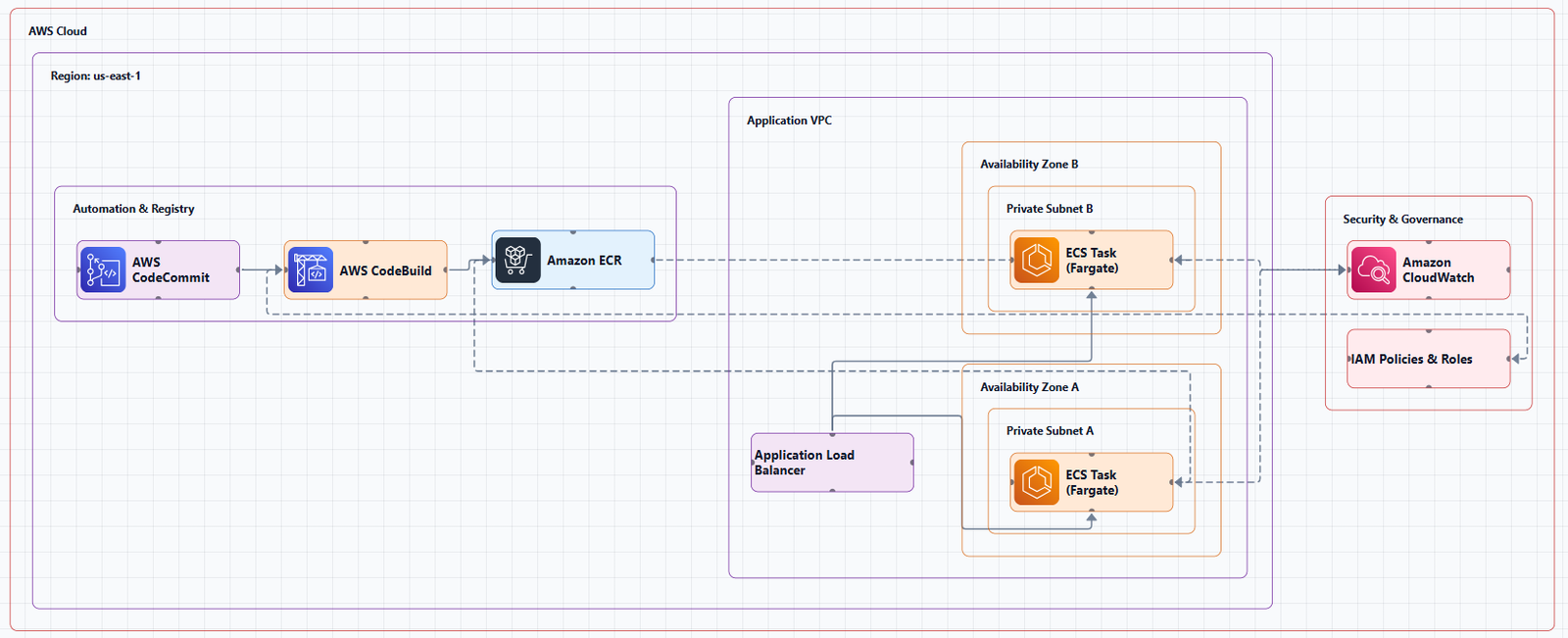
Because Lambda is an event-driven compute service, it uses a different programming paradigm than traditional web applications. Instead of long-running processes handling requests, Lambda functions are ephemeral: they spin up, execute your code, and shut down. This shift changes everything about how you design applications.
Key characteristics:
How Lambda Works: The Invocation Model
When you invoke a Lambda function, a lot happens behind the scenes. Understanding this flow is essential for designing efficient serverless applications.
The Invocation Flow
- Event source sends an invocation request to Lambda (API Gateway, S3, EventBridge, SQS, etc.)
- Lambda service receives the request and checks if there's a warm execution environment available
- If no warm environment exists, Lambda creates a new execution environment (this is the "cold start")
- The execution environment loads your function code and any layers
- Your function handler executes with the event payload
- The response is returned to the invoker (synchronously or asynchronously)
- The execution environment remains warm for a period of time to serve subsequent invocations
The Execution Environment
Lambda functions run in isolated execution environments, sandboxed micro-VMs that provide compute, memory, and network isolation. Each execution environment is:
- Ephemeral: Created for a function invocation and may be reused for subsequent invocations
- Isolated: Each function executes in a sandbox that is contained in a micro-VM
- Stateless: The environment is discarded when no longer needed; any local state is lost
Cold Starts vs. Warm Starts
Cold start: When Lambda creates a new execution environment for a function invocation. This adds latency as the environment is initialized, the code is loaded, and the runtime is started.
Warm start: When Lambda reuses an existing execution environment for a subsequent invocation. This is faster because the environment is already initialized.
Factors affecting cold starts:
- Package size: Larger deployment packages take longer to load
- Memory configuration: Higher memory allocations provide proportionally more CPU
- Runtime: Some runtimes (like Node.js and Python) start faster than others (like Java and .NET)
- VPC configuration: Functions in a VPC take longer to initialize because ENIs must be attached
Core Components of a Lambda Architecture
1. Event Sources (Triggers)
Lambda functions are invoked by events. The key question for any Lambda architecture is: what triggers your function?
Common event sources:
| Source | Use Case |
|---|---|
| API Gateway | REST APIs, WebSocket APIs, HTTP endpoints |
| Amazon S3 | File uploads, bucket events |
| Amazon DynamoDB Streams | Database changes, change data capture |
| Amazon SQS | Queue processing, decoupled workloads |
| Amazon SNS | Pub/sub notifications |
| Amazon EventBridge | Event-driven architectures, scheduled events |
| Amazon CloudWatch Events | Scheduled cron jobs |
| Amazon Kinesis | Real-time streaming data |
| AWS IoT Core | IoT device messages |
Event Source Mapping (ESM): For stream-based and queue-based sources (SQS, Kinesis, DynamoDB Streams), Lambda uses Event Source Mapping to poll the source and invoke your function with batches of records.
2. The Function Code
Your function code is the business logic that executes in response to events. Well-architected Lambda functions adhere to the single responsibility principle, each function handles a single, specific task.
Key considerations:
- Handler: The entry point that receives the event and context objects
- Statelessness: Functions should not rely on local state between invocations
- Idempotency: Functions should produce the same result when called multiple times with the same input
- Error handling: Graceful handling of failures with retries and dead-letter queues
3. Layers
Lambda layers are a distribution mechanism for code, dependencies, and custom runtimes. A layer is a ZIP archive of shared dependencies, utilities, or custom runtimes that you deploy once and reference by ARN in any function that needs it.
Use layers for:
- Common dependencies (SDKs, libraries) shared across multiple functions
- Custom runtimes
- Configuration files
- Internal utility libraries
Benefits:
- Reduce deployment package size
- Centralize dependency management
- Enable faster cold starts (smaller deployment packages)
4. IAM and Security
Security starts with IAM. Always start with IAM: inspect the permissions your function needs and grant only those.
Key security components:
- Execution role: The IAM role the function assumes to access other AWS services
- Resource policies: Control which event sources can invoke the function
- VPC configuration: Functions can run inside a VPC to access private resources
- Environment variables: Store configuration, but use Secrets Manager or Parameter Store for secrets
5. VPC Configuration
Lambda functions can be associated with a VPC to access resources inside private subnets (databases, internal services). When a function is VPC-enabled, Lambda creates an elastic network interface (ENI) called a hyperplane ENI in your VPC.
VPC networking rules:
- Internet access: Functions in a VPC need a NAT Gateway in a public subnet to access the internet
- VPC endpoints: Use VPC endpoints to privately access AWS services like S3, ECR, and Secrets Manager
- ENI limits: Each function instance uses an ENI, which counts towards your ENI limit per subnet
Best practice: Place Lambda functions in the same private subnets as the resources they need to access.
6. Observability
Serverless applications are distributed systems. Observability is non-negotiable.
Key observability components:
- Amazon CloudWatch Logs: All Lambda function logs are sent to CloudWatch
- Amazon CloudWatch Metrics: Invocation count, duration, errors, throttles
- AWS X-Ray: Distributed tracing for serverless applications
- CloudWatch Alarms: Alert on error rates, throttles, and duration anomalies
Common Lambda Architecture Patterns
Pattern 1: API Gateway + Lambda + DynamoDB
This is the classic serverless pattern: a REST API fronted by API Gateway, with Lambda handling business logic and DynamoDB providing persistent storage.
Layout (left to right):
[Users] → [API Gateway] → [Lambda] → [DynamoDB]When to use: CRUD APIs, mobile backends, single-page applications.
Key design decisions:
- API Gateway handles authentication, throttling, and request validation
- Lambda implements business logic (validation, transformation, database operations)
- DynamoDB provides scalable, low-latency NoSQL storage
When NOT to use: When you need complex queries, relational data, or when the overhead of Lambda's stateless model doesn't fit your use case.
Pattern 2: Event-Driven Processing with S3 + Lambda
Lambda functions triggered by S3 events enable real-time processing of uploaded files.
Layout:
[File Upload] → [S3 Bucket] → [Lambda] → [Processing Pipeline]When to use: Image processing, document conversion, data ingestion, log processing.
Key design decisions:
- S3 event notifications trigger Lambda on object creation
- Lambda processes the file (resize, convert, analyze)
- Results can be stored back in S3 or sent to downstream services
When NOT to use: For small-scale workloads where the overhead of Lambda isn't justified.
Pattern 3: Queue-Based Processing with SQS + Lambda
SQS decouples producers from consumers, enabling reliable, asynchronous processing.
Layout:
[Producer] → [SQS Queue] → [Lambda] → [Processing]When to use: Decoupled workloads, batch processing, tasks that can be processed asynchronously.
Key design decisions:
- SQS provides durable message buffering
- Lambda's Event Source Mapping polls the queue and invokes the function with batches of messages
- Failed messages can be sent to a Dead-Letter Queue (DLQ) for later inspection
When NOT to use: When you need synchronous responses or low-latency processing.
Pattern 4: Workflow Orchestration with Step Functions + Lambda
AWS Step Functions orchestrates multiple Lambda functions into workflows.
Layout:
[Event] → [Step Functions] → [Lambda 1] → [Lambda 2] → [Lambda 3]When to use: Multi-step workflows, ETL pipelines, business transactions, long-running processes.
Key design decisions:
- Step Functions handles state management, retries, and error handling
- Each Lambda function represents a step in the workflow
- Step Functions can wait, make decisions, and run parallel branches
When NOT to use: For simple request-response patterns where the overhead of Step Functions isn't justified.
Pattern 5: Event-Driven Microservices with EventBridge
EventBridge enables event-driven communication between microservices.
Layout:
[Service A] → [EventBridge] → [Rule] → [Lambda] → [Service B]When to use: Decoupled microservices, event-driven architectures, cross-service communication.
Key design decisions:
- EventBridge acts as the central event bus
- Rules filter and route events to targets (Lambda functions)
- Services are decoupled, they don't need to know about each other
When NOT to use: For simple point-to-point communication where SQS or SNS would suffice.
Best Practices for Lambda Architecture
1. Start with the Right Boundaries, Not the Right Count
One of the first mistakes developers make with serverless is treating function count as a measure of architectural maturity. A single function handling multiple responsibilities becomes a deployment and debugging nightmare.
The guidance: Keep functions cohesive until growth actually causes pain, and organize Lambda functions, CloudFormation stacks, and code repositories by business domain. This allows different teams to independently choose their runtime and tooling.
Domain-driven organization creates the team autonomy that makes serverless genuinely scalable.
2. Prefer Asynchronous, Event-Driven Patterns
Synchronous chains are fragile. When one service slows down, every downstream step waits, and timeout limits start to feel very close.
The solution: Decouple services using EventBridge for event-driven communication, SQS for durable message buffering, and Step Functions for workflow orchestration within a domain. The customer receives an immediate confirmation while downstream services process asynchronously.
When to use asynchronous patterns: Async should be your default. Reserve synchronous patterns for cases where the caller genuinely needs an immediate response.
3. Right-Size Your Functions
Lambda allocates CPU power proportionally to memory configuration, and package size directly impacts cold start times.
Memory allocation:
- Higher memory = more CPU = faster execution
- But higher memory = higher cost per millisecond
- Best practice: Right-size functions for their actual workload, not convenience
Package size:
- Smaller packages = faster cold starts
- Use layers for shared dependencies
- Minimize dependencies, only include what you actually need
4. Use Infrastructure as Code
Frameworks belong in your foundation. Whether you choose AWS SAM, AWS CDK, or a third-party tool, infrastructure as code is non-negotiable for managing serverless applications at scale.
Benefits:
- Version-controlled infrastructure
- Reproducible deployments
- Peer review of infrastructure changes
- Automated testing of infrastructure
5. Organize for Scale
As your application grows, you need a maintainable structure.
Organization principles:
- Bounded contexts: Functions that operate on the same domain should live together
- Service repositories: Each domain gets its own Git repository and SAM template
- Independent deployments: Each service can be developed, deployed, and scaled independently
- Avoid monoliths: Keep functions scoped to a single bounded context
Reduce function count: Instead of one Lambda function per HTTP method, run a web framework inside a single function and let it handle routing internally. This allows operations to share a warm execution environment, dropping cold start response time from over a second to around 0.2 seconds.
The tradeoff: Bundling a web framework increases deployment package size, making cold starts longer (around 2.8 seconds vs. 1.3 seconds for a leaner function). This trade-off pays off when operations are called frequently enough that the environment stays warm.
6. Remove Lambda Where Possible
For the simplest operations, removing Lambda entirely is the most effective optimization. API Gateway direct integrations allow API Gateway to call AWS service APIs without a Lambda function in the path.
When to remove Lambda:
- Simple CRUD operations on DynamoDB
- Direct S3 uploads with pre-signed URLs
- Service-to-service integrations via EventBridge Pipes
When Lambda Is Not the Right Choice
Lambda is powerful, but it's not the right tool for every job.
Consider alternatives when:
- Long-running processes: Lambda functions have a 15-minute timeout limit
- Stateful applications: Lambda is stateless; persistent state requires external services
- Predictable, sustained traffic: EC2 or containers may be more cost-effective
- Complex, compute-intensive workloads: Lambda's CPU allocation is proportional to memory
- Legacy applications: Rewriting a monolithic application as serverless is rarely the right first step
- Teams without serverless expertise: The operational model is different; don't force it
Tools for Creating Lambda Architecture Diagrams
Manual Tools
- Draw.io (diagrams.net): Free, browser-based, includes AWS icon libraries
- Lucidchart: Collaborative diagramming with AWS templates
- Microsoft Visio: Enterprise-grade diagramming
AI-Powered Tools
AI Line Studio generates AWS architecture diagrams from natural language descriptions in 15 to 20 seconds. Describe a Lambda architecture, "a serverless API with API Gateway, Lambda, and DynamoDB", and it produces a structured diagram with official AWS icons. For AWS-specific workflows, the dedicated AI cloud diagram generator turns descriptions into production-ready visuals. The AI architecture diagram builder helps build and refine Lambda architecture diagrams into production-ready designs.
The honest limitation: AI Line Studio is an early-stage product with a smaller install base and fewer third-party integrations than established tools. It's not a general-purpose diagramming tool, if you need org charts, mind maps, or non-technical diagrams, a broader tool is a better fit. And as with any AI-generated output, complex or ambiguous system descriptions may need manual cleanup.
Diagram-as-Code
Tools like Mermaid and PlantUML let you define architecture diagrams in code, enabling version control and automation.
Summary
AWS Lambda is the foundation of modern serverless architecture. A well-designed Lambda architecture enables scalable, cost-effective, and resilient applications.
Key takeaways:
| Layer | Key Services | Purpose |
|---|---|---|
| Event Sources | API Gateway, S3, SQS, EventBridge, DynamoDB Streams | Trigger function execution |
| Compute | AWS Lambda, Step Functions | Business logic execution and orchestration |
| Storage | DynamoDB, S3, RDS | Data persistence |
| Security | IAM, VPC, Secrets Manager | Access control and data protection |
| Observability | CloudWatch, X-Ray | Logging, metrics, and tracing |
Best practices:
- Organize functions by business domain, not by technical layer
- Prefer asynchronous, event-driven patterns
- Right-size memory and minimize package size
- Use infrastructure as code (SAM, CDK)
- Remove Lambda from paths that don't need custom logic
- Monitor cold starts and optimize where needed
- Design for idempotency and graceful failure
To start building your own AWS Lambda architecture diagrams, explore the AWS Lambda architecture diagram tool for templates and practical examples. For automated diagram generation, try the AI cloud diagram generator to turn a serverless description into a visual instantly. For complete system architecture beyond Lambda, the AI system architecture generator covers distributed and enterprise system designs.