
AWS Landing Zone Architecture Diagram: A Complete Guide to Enterprise Cloud Foundation
If you're managing more than a handful of AWS accounts, you've felt the pain. Inconsistent security configurations. Logs scattered across accounts. No single view of who has access to what. New accounts spun up with different baselines every time. This is what happens when you scale without a landing zone.
A landing zone is a well-architected, multi-account AWS environment that is scalable and secure. It's the foundation from which your organization can quickly launch and deploy workloads with confidence in your security and infrastructure environment. Setting up a landing zone gives you total control over traffic entering and exiting your AWS accounts, significantly reducing the surface attack area while creating a scalable architecture that enforces security best practices.
This guide provides a complete reference for the AWS Landing Zone architecture, what it is, how it's structured, the core components you need, and the best practices that separate scalable, secure cloud foundations from chaotic multi-account sprawl.
Cloud Architecture
Create cloud architecture diagrams for AWS, Azure, GCP, and more. Design scalable infrastructure with professional cloud icons.
Complete guide to AWS Landing Zone architecture, multi-account OUs, Control Tower, Account Factory, Transit Gateway hub-and-spoke, SCPs, and security best practices.
Click Cloud Architecture to open AI Line Studio and generate diagrams from natural language in seconds.
What Is an AWS Landing Zone?
At its core, a landing zone is a multi-account AWS environment that provides a baseline for identity, security, networking, observability, governance, and account structure. It's not a single service or tool, it's an architectural pattern that combines multiple AWS services to create a secure, scalable foundation.
- Log Archive Account: Central repository for all CloudTrail logs, VPC Flow Logs, and other audit data. This account is read-only for most users and cannot be deleted.
- Audit Account: A restricted account used for security and compliance monitoring. It provides access to security tools and read-only access to all other accounts.
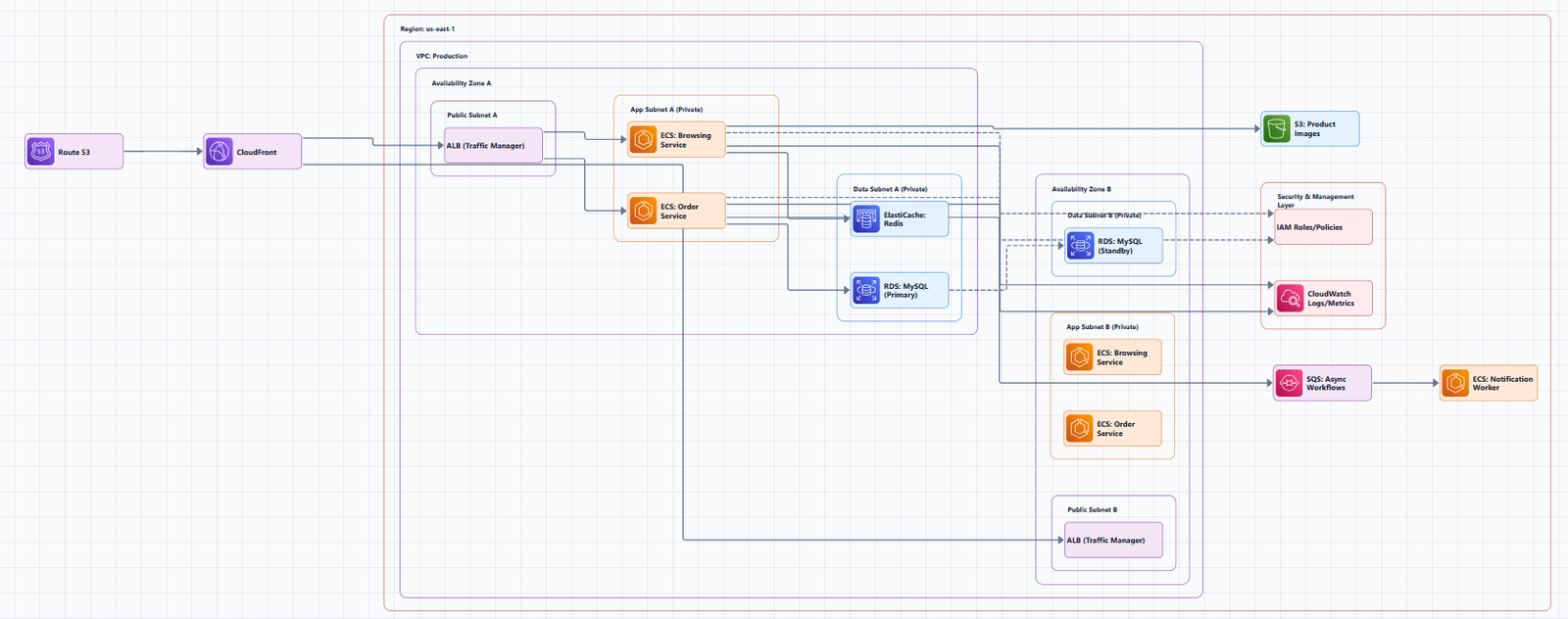
AWS defines a landing zone as a well-architected, multi-account environment based on security and compliance best practices. It includes central billing, logging, security and governance monitoring, and an Account Factory for provisioning new accounts.
Why multiple accounts? A single AWS account is a management boundary. As your organization grows, you need greater segmentation to monitor costs, control access, and manage environments effectively. Multi-account architectures solve these problems by providing specific accounts for IT services and users within an organization.
Core Components of an AWS Landing Zone
A well-architected landing zone consists of several foundational layers:
| Layer | Purpose | Key AWS Services |
|---|---|---|
| Account Structure | Organize and govern multiple accounts | AWS Organizations, Organizational Units (OUs) |
| Identity & Access | Centralize user and permission management | IAM Identity Center, IAM, federation |
| Networking | Connect accounts and on-premises securely | Transit Gateway, VPC, Direct Connect, VPN |
| Security & Compliance | Detect threats and enforce guardrails | GuardDuty, Security Hub, AWS Config, SCPs |
| Logging & Monitoring | Centralize observability | CloudTrail, CloudWatch, centralized S3 logging |
| Account Provisioning | Automate new account creation | Account Factory (Control Tower or AFT) |
The Organizational Unit (OU) Structure
The foundation of any landing zone is the AWS Organizations hierarchy. Organizational Units (OUs) are like folders that contain AWS accounts, allowing you to group accounts logically and apply policies consistently.
AWS Control Tower Initial OUs
When you set up AWS Control Tower, it creates two initial OUs by default:
Security OU, Contains two shared accounts:
Sandbox OU, The default destination for accounts created within AWS Control Tower. This is where builders can explore and experiment, subject to acceptable use policies.
Extended OU Structure for Production
Most organizations expand beyond the initial OUs. A typical production landing zone includes:
Root
├── Security OU
│   ├── Log Archive Account
│   └── Audit Account
├── Infrastructure OU
│   ├── Network Account
│   └── Shared Services Account
├── Workloads OU
│   ├── Production OU
│   │   ├── Workload Account A
│   │   └── Workload Account B
│   ├── Staging OU
│   └── Development OU
└── Sandbox OU
    └── Individual Sandbox Accounts
Key design considerations:
- Nested OUs allow you to apply different policies to production vs. non-production environments
- Separate Infrastructure OU isolates networking and shared services from workloads
- SCPs (Service Control Policies) applied at the OU level enforce guardrails across all member accounts
Account Factory: Automating Account Provisioning
A landing zone isn't just about structure, it's about automation. The Account Factory is the mechanism that enables you to provision new AWS accounts consistently and at scale.
AWS Control Tower Account Factory
AWS Control Tower includes a built-in Account Factory that automates and standardizes new account creation. It allows you to:
- Create new accounts with a consistent baseline
- Enroll them into the appropriate OU
- Apply guardrails automatically
Account Factory for Terraform (AFT)
For organizations that prefer infrastructure as code, Account Factory for Terraform (AFT) extends this capability. AFT enables you to:
- Deploy custom Terraform templates to new accounts
- Automate the provisioning of hundreds of sandbox or demo accounts
- Integrate with existing Landing Zone Accelerator environments
Security Architecture: Guardrails and Compliance
Security is the primary reason organizations adopt landing zones. A well-designed landing zone gives every workload the right account boundary, access model, security baseline, and governance control from the start.
Service Control Policies (SCPs)
SCPs are the primary mechanism for enforcing guardrails across your organization. They allow you to:
- Restrict which services can be used in certain accounts
- Prevent actions that violate compliance requirements
- Enforce tagging, encryption, and other security controls
Security Services Baseline
A typical landing zone enables the following security services across all accounts:
- AWS Config: Resource configuration tracking and compliance evaluation
- AWS CloudTrail: API auditing for all accounts, delivered to the central Log Archive account
- Amazon GuardDuty: Threat detection and continuous monitoring
- AWS Security Hub: Centralized security findings and compliance checks
- AWS IAM Identity Center: Federated access and permission management
- AWS KMS: Centralized encryption key management
Security OU Architecture
The Security OU houses the Log Archive and Audit accounts:
- Log Archive Account: Immutable storage for all logs. Most users have read-only access.
- Audit Account: Restricted access for security teams. This account corresponds to the security "tooling" account.
Network Architecture: Hub-and-Spoke with Transit Gateway
Network connectivity in a landing zone typically follows a hub-and-spoke model using AWS Transit Gateway.
Core Network Design
The network architecture includes:
Transit Gateway (Hub)
├── Production VPC (Spoke)
├── Staging VPC (Spoke)
├── Development VPC (Spoke)
├── Shared Services VPC (Spoke)
└── Egress VPC (Centralized NAT Gateway)
Key components:
- Transit Gateway: Central hub connecting all VPCs and on-premises networks
- Egress VPC: Centralized NAT Gateway for outbound internet traffic
- VPC Endpoints: Private connectivity to AWS services without traversing the internet
Centralized Egress and Ingress
In a multi-account landing zone, all internet-bound traffic from application accounts routes through a centralized egress VPC in the networking account. This provides:
- Centralized security inspection (firewalls, intrusion detection)
- Consistent outbound policies
- Simplified cost management
Cross-Region Connectivity
For organizations operating in multiple AWS Regions, Transit Gateway peering enables cross-region communication. This pattern supports:
- Disaster recovery across regions
- Global application architectures
- Centralized services spanning regions
Landing Zone Deployment Options
AWS provides several paths to implement a landing zone:
Option 1: AWS Control Tower
The simplest path for most organizations. AWS Control Tower automates the setup of a secure, multi-account environment. It creates the initial OUs and accounts, enables foundational security services, and provides a dashboard for governance.
Best for: Organizations with limited platform engineering resources, small to mid-size engineering teams.
Option 2: Landing Zone Accelerator on AWS (LZA)
An advanced, highly configurable solution designed for regulated workloads and complex compliance requirements. LZA deploys a foundational set of capabilities aligned with AWS best practices and multiple global compliance frameworks.
Key features:
- Low-code configuration using YAML files
- 35+ AWS services integrated
- Fully automated deployment with a few clicks
- Cost effective, free and open source, pay only for resources deployed
- Deployable in all AWS Regions including GovCloud
Best for: Organizations with complex compliance requirements (healthcare, finance, government).
Option 3: Terraform-Based Landing Zone
For organizations committed to infrastructure as code, HashiCorp provides validated patterns for building AWS landing zones with Terraform. This approach uses Terraform as the IaC engine and HCP as the control plane.
Best for: Organizations with strong platform engineering teams and existing Terraform investments.
Landing Zone Architecture Diagram
Below is a representative AWS Landing Zone architecture, showing the key components and their interactions.
┌─────────────────────────────────────────────────────────────────────────────┐
│                         AWS Organizations Root                             │
│                                                                             │
│  ┌───────────────────────────────────────────────────────────────────────┐ │
│  │                         Security OU                                  │ │
│  │  ┌─────────────────────────┐  ┌───────────────────────────────────┐ │ │
│  │  │    Log Archive Account   │  │         Audit Account             │ │ │
│  │  │  ┌───────────────────┐  │  │  ┌─────────────────────────────┐  │ │ │
│  │  │  │ Central S3 Bucket │  │  │  │ Security Hub, GuardDuty,    │  │ │ │
│  │  │  │ (CloudTrail logs) │  │  │  │ Config, IAM Identity Center │  │ │ │
│  │  │  └───────────────────┘  │  │  └─────────────────────────────┘  │ │ │
│  │  └─────────────────────────┘  └───────────────────────────────────┘ │ │
│  └───────────────────────────────────────────────────────────────────────┘ │
│                                                                             │
│  ┌───────────────────────────────────────────────────────────────────────┐ │
│  │                     Infrastructure OU                                │ │
│  │  ┌─────────────────────────┐  ┌───────────────────────────────────┐ │ │
│  │  │    Network Account      │  │      Shared Services Account      │ │ │
│  │  │  ┌───────────────────┐  │  │  ┌─────────────────────────────┐  │ │ │
│  │  │  │  Transit Gateway  │  │  │  │  CI/CD, Container Registry, │  │ │ │
│  │  │  │  (Hub)            │  │  │  │  Monitoring, Secrets        │  │ │ │
│  │  │  └───────────────────┘  │  │  └─────────────────────────────┘  │ │ │
│  │  └─────────────────────────┘  └───────────────────────────────────┘ │ │
│  └───────────────────────────────────────────────────────────────────────┘ │
│                                                                             │
│  ┌───────────────────────────────────────────────────────────────────────┐ │
│  │                        Workloads OU                                   │ │
│  │  ┌─────────────────────────┐  ┌───────────────────────────────────┐ │ │
│  │  │    Production OU        │  │        Staging/Dev OU            │ │ │
│  │  │  ┌───────────────────┐  │  │  ┌─────────────────────────────┐  │ │ │
│  │  │  │ Workload Account  │  │  │  │ Workload Account (Staging)  │  │ │ │
│  │  │  │ (Production)      │  │  │  └─────────────────────────────┘  │ │ │
│  │  │  └───────────────────┘  │  │  ┌─────────────────────────────┐  │ │ │
│  │  │  ┌───────────────────┐  │  │  │ Workload Account (Dev)      │  │ │ │
│  │  │  │ Workload Account  │  │  │  └─────────────────────────────┘  │ │ │
│  │  │  │ (Production)      │  │  └───────────────────────────────────┘ │ │
│  │  │  └───────────────────┘  │                                        │ │
│  │  └─────────────────────────┘                                        │ │
│  └───────────────────────────────────────────────────────────────────────┘ │
│                                                                             │
│  ┌───────────────────────────────────────────────────────────────────────┐ │
│  │                         Sandbox OU                                   │ │
│  │  ┌─────────────────────────┐  ┌───────────────────────────────────┐ │ │
│  │  │  Developer Sandbox 1    │  │  Developer Sandbox 2             │ │ │
│  │  └─────────────────────────┘  └───────────────────────────────────┘ │ │
│  └───────────────────────────────────────────────────────────────────────┘ │
└─────────────────────────────────────────────────────────────────────────────┘
                                      │
                                      ▼
┌─────────────────────────────────────────────────────────────────────────────┐
│                     On-premises (Direct Connect / VPN)                      │
└─────────────────────────────────────────────────────────────────────────────┘
Diagram Walkthrough
1. AWS Organizations Root: The top-level container for all accounts. SCPs applied here affect the entire organization.
2. Security OU: Contains the Log Archive and Audit accounts. These are the foundation for security and compliance. All CloudTrail logs flow to the Log Archive account.
3. Infrastructure OU: Contains the Network Account (with Transit Gateway hub) and Shared Services Account (CI/CD, container registry, monitoring). Most customers begin with a few VPCs and expand as usage grows.
4. Workloads OU: Contains Production, Staging, and Development OUs. Each contains the actual workload accounts. SCPs at the Workloads OU level apply to all workloads; more restrictive SCPs can apply to Production specifically.
5. Sandbox OU: The default destination for accounts created within AWS Control Tower. Builders can explore AWS services subject to acceptable use policies.
Landing Zone Best Practices
1. Start with AWS Control Tower
For most organizations, AWS Control Tower provides the fastest path to a well-architected landing zone. It establishes the foundational OUs and accounts, enables baseline security services, and provides ongoing governance.
2. Plan Your OU Structure Before You Start
OU design is difficult to change later. Consider:
- How many environments do you need (prod, staging, dev)?
- Do you need separate OUs for different business units?
- What SCPs will you apply at each level?
3. Use SCPs for Guardrails, Not Permissions
SCPs are for restricting actions across accounts, not for granting permissions. Use them to prevent actions that violate security policies (e.g., "don't delete CloudTrail buckets," "don't disable GuardDuty").
4. Centralize Logging
All accounts should deliver logs to the central Log Archive account. This provides a single source of truth for security investigations and compliance audits.
5. Automate Account Provisioning
Manual account creation is error-prone and inconsistent. Use Account Factory (Control Tower or AFT) to automate new account creation with consistent baselines.
6. Use Infrastructure as Code
Landing zone configuration should be treated as code. This enables version control, peer review, and reproducible deployments. The Landing Zone Accelerator uses YAML configuration files, while Terraform-based approaches use HCL.
7. Plan for Multi-Region
If your organization operates in multiple AWS Regions, design your landing zone to support cross-region connectivity from the start.
8. Follow AWS Well-Architected Framework
A landing zone should align with all five pillars: operational excellence, security, reliability, performance efficiency, and cost optimization.
Tools for Creating AWS Landing Zone Architecture Diagrams
Manual Tools
- Draw.io (diagrams.net): Free, browser-based, includes AWS icon libraries
- Lucidchart: Collaborative diagramming with AWS templates
- Microsoft Visio: Enterprise-grade diagramming
AI-Powered Tools
AI Line Studio generates AWS architecture diagrams from natural language descriptions in 15 to 20 seconds. Describe a landing zone, "an AWS multi-account landing zone with Security, Infrastructure, and Workloads OUs, Transit Gateway hub, and centralized logging", and it produces a structured diagram with official AWS icons. For AWS-specific workflows, the dedicated AI cloud diagram generator turns descriptions into production-ready visuals.
For those already using AI-powered architecture generation, the AI architecture diagram builder helps build and refine landing zone diagrams into production-ready designs. And for end-to-end system architecture beyond the landing zone itself, the AI system architecture generator covers distributed and enterprise system designs.
The honest limitation: AI Line Studio is an early-stage product with a smaller install base and fewer third-party integrations than established tools. It's not a general-purpose diagramming tool, if you need org charts, mind maps, or non-technical diagrams, a broader tool is a better fit. And as with any AI-generated output, complex or ambiguous system descriptions may need manual cleanup.
Diagram-as-Code Tools
Tools like Python Diagrams and PlantUML let you define landing zone architecture diagrams in code, enabling version control and automation.
When to Use Each Landing Zone Approach
| Approach | Best For | When to Avoid |
|---|---|---|
| AWS Control Tower | Small to mid-size teams, quick start | Highly customized requirements |
| Landing Zone Accelerator | Regulated workloads, complex compliance | Simple environments where Control Tower suffices |
| Terraform-based | Teams with existing IaC investment, strong platform engineering | Teams without Terraform expertise |
Summary
An AWS Landing Zone is the foundation of enterprise cloud success. It provides a well-architected, multi-account environment with centralized governance, security, and networking.
Key takeaways:
| Layer | Purpose | Key Services |
|---|---|---|
| Account Structure | Organize accounts by function and environment | AWS Organizations, OUs |
| Identity | Centralize user and permission management | IAM Identity Center, IAM |
| Security | Detect threats and enforce guardrails | GuardDuty, Security Hub, Config, SCPs |
| Logging | Centralize audit and operational logs | CloudTrail, centralized S3 |
| Networking | Connect accounts and on-premises | Transit Gateway, VPC, Direct Connect |
| Automation | Provision accounts consistently | Account Factory, AFT |
Best practices:
- Start with AWS Control Tower for most organizations
- Plan OU structure before implementation
- Use SCPs for guardrails, not permissions
- Centralize logging and security
- Automate account provisioning
- Treat configuration as code
- Follow AWS Well-Architected Framework
To start building your own AWS Landing Zone architecture diagrams, explore the AWS Landing Zone architecture diagram tool for templates and practical examples. For automated diagram generation, try the AI cloud diagram generator to turn a landing zone description into a visual instantly. For complete enterprise system architecture beyond the foundation, the AI system architecture generator covers distributed and enterprise system designs.