
Azure AI Architecture Diagram: A Complete Guide to Enterprise AI Applications
Azure AI architecture diagrams are the visual language of modern AI applications. They map how Azure AI services, foundation models, orchestration layers, retrieval systems, and security controls, interconnect to deliver intelligent applications. A well-designed diagram doesn't just show what you built, it communicates the flow from user query through retrieval and orchestration to a grounded, actionable response.
This guide covers everything you need to know about Azure AI architecture diagrams: what they are, the core components they include, the most common patterns from basic chat to enterprise-grade RAG and multi-agent systems, the Azure AI Foundry hub-and-project model, enterprise landing zone integration, and the best practices that separate production-grade AI systems from proofs-of-concept.
Cloud Architecture
Create cloud architecture diagrams for AWS, Azure, GCP, and more. Design scalable infrastructure with professional cloud icons.
Complete guide to Azure AI architecture diagrams, Foundry hub and projects, RAG, agents, AI landing zones, private networking, and best practices.
Click Cloud Architecture to open AI Line Studio and generate diagrams from natural language in seconds.
What Is an Azure AI Architecture Diagram?
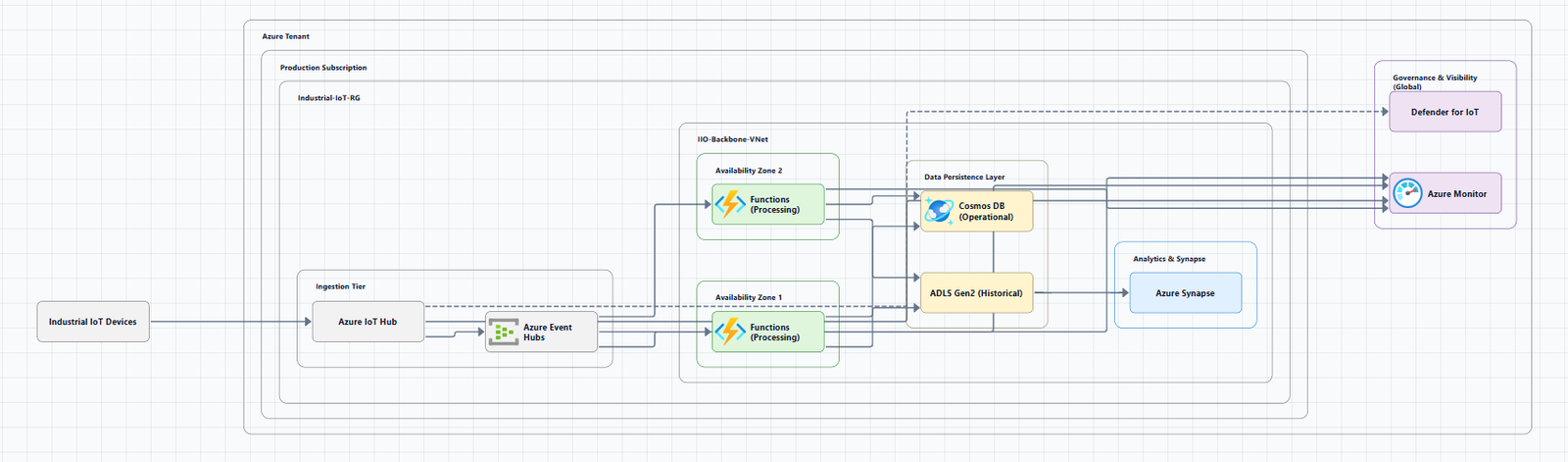
An Azure AI architecture diagram is a visual representation of an AI workload built on Microsoft Azure. It shows how Azure AI services, Azure AI Foundry, Azure OpenAI Service, Azure AI Search, Azure Machine Learning, and supporting infrastructure, are organized and connected to deliver intelligent applications.
A good diagram answers the critical questions that every AI team needs to answer:
- Where do models live? (Foundry, Azure OpenAI, Azure Machine Learning)
- How does the application get data? (Retrieval, RAG, vector search)
- How is the user experience delivered? (App Service, APIs, agents)
- What's the security model? (Private endpoints, Entra ID, Key Vault)
The level of detail depends on who the diagram is for. A high-level view for stakeholders shows the major services and data flow. A detailed view for engineers shows private endpoints, networking, and specific orchestration logic.
Core Components of Azure AI Architecture
Every Azure AI diagram uses a common set of service categories. Understanding these is the first step to reading and creating diagrams.
Foundry Resource (The Central Hub)
Azure AI Foundry is the primary resource for Azure AI and is recommended for most AI development scenarios. It provides a unified experience for AI developers and data scientists to build, evaluate, and deploy AI models.
Resource provider: Microsoft.CognitiveServices/accounts with kind AIServices
When to use Foundry:
- First-time setup: Starting a new AI project with a single resource that bundles model access, agent hosting, and evaluation tooling
- Multi-team access: Multiple teams need isolated projects with shared model deployments and centralized governance
- Compliance-driven design: Requirements for private networking, customer-managed encryption, or Azure RBAC scoping
- Azure OpenAI migration: Moving from a standalone Azure OpenAI resource while keeping existing policies and RBAC
Hub and Project Model
Foundry organizes AI workloads through a layered architecture: a top-level Foundry resource for governance, projects for development isolation, and connected Azure services for storage, search, and secrets management.
Hub features:
- Security configuration (managed network that spans projects and model endpoints)
- Compute resources for interactive development, fine-tuning, and model deployments
- Hub-scoped connections to Azure services (Azure OpenAI, Azure AI Search, etc.)
- Associated Azure storage account for data upload and artifact storage
Project features:
- Access to development tools for building and customizing AI applications
- Reusable components including datasets, models, and indexes
- An isolated container to upload data to (within storage inherited from the hub)
- Project-scoped connections for private data access
This structure enforces a clear separation between management and development operations to ensure secure and scalable AI workloads. For single-developer exploration, a Foundry resource with one project is the recommended default.
Model Deployment: Foundry Models
Foundry Models allow you to deploy flagship models, including OpenAI models, from the Azure AI catalog in a Microsoft-hosted environment. The Foundry Models system sits between application layers and model backends, providing routing, fine-tuning, and deployment management.
Core Supporting Services
| Service | Purpose |
|---|---|
| Azure AI Search | Vector search, semantic ranking, and knowledge retrieval |
| Azure OpenAI Service | REST API access to OpenAI language models and embeddings |
| Foundry Agent Service | Hosts prompt agents that orchestrate workflows and connect to tools |
| Azure App Service | Hosts the client user interface (UI) and APIs |
| Azure Monitor / Application Insights | Logs request and agent interactions, provides telemetry and diagnostics |
| Azure Key Vault | Stores secrets, keys, and certificates |
| Azure Storage | Stores grounding data and artifacts for AI applications |
Azure Resource Providers
Within the Azure AI product family, multiple Azure resource providers support different layers of the stack:
| Resource Provider | Purpose | Supported Services |
|---|---|---|
| Microsoft.CognitiveServices | Agentic and GenAI application development | Foundry, Azure OpenAI, Speech, Language, Vision |
| Microsoft.Search | Knowledge retrieval over your data | Azure AI Search |
| Microsoft.MachineLearningServices | Train, deploy, and operate ML models | Azure AI Hub and projects |
Common Azure AI Architecture Patterns
Pattern 1: Basic Foundry Chat Reference Architecture
The basic architecture is an introductory setup for learning how to run chat applications using Foundry and Azure OpenAI. This architecture isn't for production, it's for learning and proof-of-concept purposes.
Download a Visio file: openai-end-to-end-basic.vsdx
Components:
- Azure App Service: Hosts the client user interface (UI)
- Foundry Agent Service: Hosts a prompt agent that orchestrates the workflow
- Azure OpenAI in Foundry Models: Language model deployed in Foundry
- Azure AI Search: Provides grounding data
- Azure Monitor (Application Insights): Logs request and agent interactions
Workflow:
- A user issues an HTTPS request to the App Service default domain (
azurewebsites.net) - TLS connection is established directly with App Service, certificate managed entirely by Azure
- Easy Auth authenticates the user via Microsoft Entra ID
- App Service renders a chat UI for the user
- The chat UI connects to APIs hosted in the same App Service instance
- The API connects to an agent in Agent Service using the Microsoft Agent Framework
- Agent Service uses configured tools (Azure AI Search index, web search) to fetch grounding data
- Grounding data is added to the prompt sent to the Azure OpenAI model
- Application Insights logs request and agent interactions
Pattern 2: RAG (Retrieval-Augmented Generation) Architecture
RAG enhances model responses with your proprietary data. The core pattern combines Azure OpenAI with Azure AI Search as a data source.
Custom RAG pattern for Azure AI Search:
Key advantages of the Azure OpenAI On Your Data pattern:
- Integrated Vectorization: Azure AI Search's integrated vectorization capabilities make it easy and quick to ingest all your documents for searching
- Simplified API Access: Using Azure OpenAI On Your Data with Azure AI Search as a data source means one API call, Azure OpenAI handles everything, including prompt engineering and query optimization
- Advanced Search Capabilities: Integrated vectorization provides hybrid search with semantic reranking, combining keyword matching, vector similarity, and AI-powered ranking
- Complete Citation Support: Responses automatically include citations to source documents
Typical RAG workflow:
- Prepare your data: Organize and chunk private documents or knowledge base into searchable content
- Set up an index: Create an Azure AI Search index to organize content for efficient searching
- User query: User sends a message to the application
- Retrieval: Azure AI Search retrieves relevant chunks from the index
- Generation: The model generates a response grounded in the retrieved data
Pattern 3: Azure AI Workload Architecture Pattern
The Azure Well-Architected Framework provides a generic architecture pattern that establishes a baseline knowledge of the core components, their functions, and interactions in an AI workload.
High-level AI workload architecture:
| Component | Description |
|---|---|
| Data processing and analytics | Gather raw data from different sources, clean it, transform it, and organize it into datasets ready for model training, fine-tuning, and grounding |
| Model training and fine-tuning | Train models on your data, track versions, and monitor performance through a repeatable process using MLOps practices |
| Intelligent AI applications | Where users interact with your AI. Combines pretrained models with application logic to find the right information, craft prompts, build interfaces, and learn from feedback |
| AI practices and process | Keep your AI solution reliable by incorporating DevOps principles, version control, and automated pipelines into MLOps workflows |
| Platform services and tools | Core cloud services that secure your resources, control costs, and monitor system health |
Pattern 4: Dynamic AI Agents at Scale
For systems that need to handle open-ended client conversations with many agents, the dynamic AI agents pattern uses Azure AI Foundry, Azure AI Search, and Azure OpenAI.
Download a Visio file: ai-agents-at-scale-architecture.vsdx
Components:
- Foundry: Hosts Azure OpenAI models and provides a unified environment for agent development, model orchestration, and evaluation
- AI Search: Acts as a semantic cache that stores sample agent utterances and uses vector similarity to identify candidate agents for user queries
- Azure OpenAI: Agents use these models to process requests, generate responses, and select appropriate agents
- Azure Managed Redis: Stores conversation context and chat history to support multiturn interactions
Agent selection workflow:
- A user submits a query through the client application
- The AI agent service receives the request and passes it to the orchestrator
- The agent selector queries the semantic cache in AI Search, using vector similarity to compare the query against stored sample utterances
- The agent selector scores and filters those results
- If one agent's score exceeds the confidence threshold, the system invokes that agent directly
- Otherwise, an LLM chooses from the shortlisted candidates
- The agent factory instantiates the selected agent and returns a ready-to-use instance
- The selected agent processes the request using Azure OpenAI models
Enterprise Deployment: Azure AI Landing Zone
For production enterprise AI workloads, the AI Landing Zone provides a secure, resilient, and scalable reference architecture.
Two Landing Zone Types
AI Gateway Landing Zone (Hub for models):
- Deployed as a hub for models
- Leverages Foundry's AI agents, model catalog, and AI evaluation
- One deployment can govern both production and non-production workloads
AI Foundry Landing Zone (Spoke for agents):
- Deployed as a spoke for agents
- Multiple deployments leveraging models from the AI Gateway Landing Zone
- Can be deployed independently if a hub for models is not required
- Consider deploying for each business unit or use-case
Baseline Foundry Chat in an Azure Landing Zone
For organizations using Azure landing zones to ensure consistent governance and cost efficiency, the baseline Foundry chat architecture adds production design decisions.
Key architecture principles:
- Separation of ownership: The workload team owns the Foundry resource (recommended approach)
- Platform teams centrally manage shared resources: networking for cross-premises connections, identity access management, and policies
- This separation follows the subscription democratization principle
Download a Visio file: baseline-microsoft-foundry-landing-zone.vsdx
Architecture diagram structure:
- Application landing zone subscription (blue): Contains workload-created resources including Application Gateway with WAF, App Service with integration subnet, private endpoints for PaaS solutions (Storage, Key Vault, AI Search, OpenAI, Container Registry), Machine Learning workspace, and monitoring resources
- Platform landing zone subscription (yellow): Contains hub virtual network, Azure Firewall, Azure Bastion, VPN Gateway, and ExpressRoute
- VNet peering connects the application landing zone virtual network to the hub virtual network
Private Networking for Enterprise AI
For production workloads, private networking is essential. In Azure AI Foundry, this is accomplished through:
- Private endpoints for all Foundry components
- Managed virtual networking
- Private DNS resolution
- Controlled ingress/egress patterns that keep AI workloads operating entirely within your network boundaries
Private networking in Foundry spans:
- Project private endpoints
- Managed virtual networks
- Outbound rules
- DNS configuration
- First-party dependencies such as Azure OpenAI, Azure AI Search, Storage, and Key Vault
Azure AI Architecture Best Practices
1. Choose the Right Foundry Resource Model
For most AI development scenarios, including agent building, model deployment, and evaluation workflows, the Foundry resource is the recommended starting point. If your workload only requires Azure OpenAI completions without agent hosting or evaluation, a standalone Azure OpenAI resource might be sufficient.
2. Understand the Hub-and-Project Model
Use hubs for centralized governance, security, and shared resources. Create projects for specific AI development efforts. Projects inherit Hub-level configurations while remaining isolated from each other.
3. Design for Landing Zone Integration
When deploying in an enterprise Azure landing zone:
- The workload team should own the Foundry resource
- Platform teams manage shared resources (networking, identity, policies)
- Follow subscription democratization principles
4. Implement Private Networking
For production workloads, implement:
- Private endpoints for all Foundry components
- Managed virtual networking
- Private DNS resolution
- Controlled ingress and egress patterns
5. Enable Observability
Observability, modular orchestration, and grounding via Azure AI Foundry are strategic enablers for enterprise-grade resilience. Use Application Insights to log request and agent interactions.
6. Start with the Baseline, Then Harden
Use the basic architecture for learning and proof-of-concept purposes. For production, use the baseline Foundry chat reference architecture, which adds production design decisions. For enterprise-scale deployments, use the Azure AI Landing Zone reference architecture.
Tools for Creating Azure AI Architecture Diagrams
Official Microsoft Resources
Azure Architecture Center: The primary source for AI reference architectures with downloadable Visio files:
AI Landing Zones GitHub Repository: Provides reference architecture diagrams for AI Foundry Landing Zone and AI Gateway Landing Zone
Mermaid Diagrams
Comprehensive Mermaid architecture diagrams are available in the AI Foundry pattern module to visualize Azure services and components.
AI-Powered Tools
AI Line Studio: Generates Azure architecture diagrams from natural language descriptions in seconds. Describe an AI architecture, "an Azure AI Foundry hub with projects, Azure OpenAI models, and RAG with Azure AI Search", and it produces a structured diagram with official Azure icons. For Azure-specific workflows, use the dedicated AI cloud diagram generator. If you're working across multiple providers, the AI architecture diagram builder supports Azure, AWS, GCP, and OCI.
Manual Diagramming Tools
Draw.io (diagrams.net): A free, browser-based tool with a built-in Azure shape library. Enables you to create professional Azure AI architecture diagrams with official Azure icons.
Microsoft Visio: The recommended tool for creating Azure architecture diagrams. AI reference architectures in the Azure Architecture Center include downloadable Visio files.
Summary
Azure AI architecture diagrams are essential for designing, documenting, and communicating enterprise AI applications. A well-crafted diagram shows how AI services integrate with Azure's platform to build secure, scalable generative AI solutions.
Key takeaways:
| Layer | Components | Purpose |
|---|---|---|
| Hub | Foundry resource (Microsoft.CognitiveServices/accounts) |
Governance, security, shared resources, connections |
| Project | Child resource of hub (projects) |
Development isolation, datasets, models, indexes |
| Models | Foundry Models, Azure OpenAI | Language model inference and deployment |
| Agent Service | Foundry Agent Service | Agent hosting and orchestration |
| Data | Azure AI Search, Azure Storage | Grounding data and knowledge retrieval |
| Security | Key Vault, Private Endpoints, Entra ID | Secrets management, private networking, identity |
| Observability | Azure Monitor, Application Insights | Logging, metrics, and monitoring |
Best practices:
- The Foundry resource is the primary resource for Azure AI, recommended for most use cases
- Hubs provide centralized governance; projects provide development isolation
- Production deployments require private networking and Azure landing zone integration
- RAG patterns combine Azure AI Search with Foundry models
- The AI Landing Zone provides enterprise-scale reference architectures for AI workloads
- Use the basic architecture for POCs; use baseline and landing zone architectures for production
The tooling landscape has shifted. AI-powered generators can now turn natural language descriptions into production-ready Azure AI diagrams in seconds, changing the workflow from hours of manual dragging to seconds of generation with minutes of review.
To start creating your own Azure AI architecture diagrams, explore the Azure architecture diagram tool for templates and examples. For automated diagram generation, try the AI cloud diagram generator to turn an AI description into a visual instantly. For complete AI system architecture, the AI system architecture generator covers distributed and enterprise system designs.