
Azure DevOps Architecture Diagram: A Complete Guide to CI/CD, GitOps, and Enterprise DevOps
If you've ever had to explain how your CI/CD pipeline works to a new team member, a security reviewer, or a stakeholder, you know the value of a clear architecture diagram. Azure DevOps provides the services, Repos, Pipelines, Boards, Artifacts, and Test Plans, but how they fit together in a production workflow isn't always obvious.
This guide covers everything you need to know about Azure DevOps architecture diagrams: what they are, the core components they include, the most common patterns from baseline CI/CD to AKS microservices and GitOps, the best practices that separate professional diagrams from confusing messes, and the tools you can use to create them.
Cloud Architecture
Create cloud architecture diagrams for AWS, Azure, GCP, and more. Design scalable infrastructure with professional cloud icons.
Complete guide to Azure DevOps architecture diagrams, baseline CI/CD, AKS microservices, IaaS, GitOps, APIOps, best practices, and tools.
Click Cloud Architecture to open AI Line Studio and generate diagrams from natural language in seconds.
What Is an Azure DevOps Architecture Diagram?
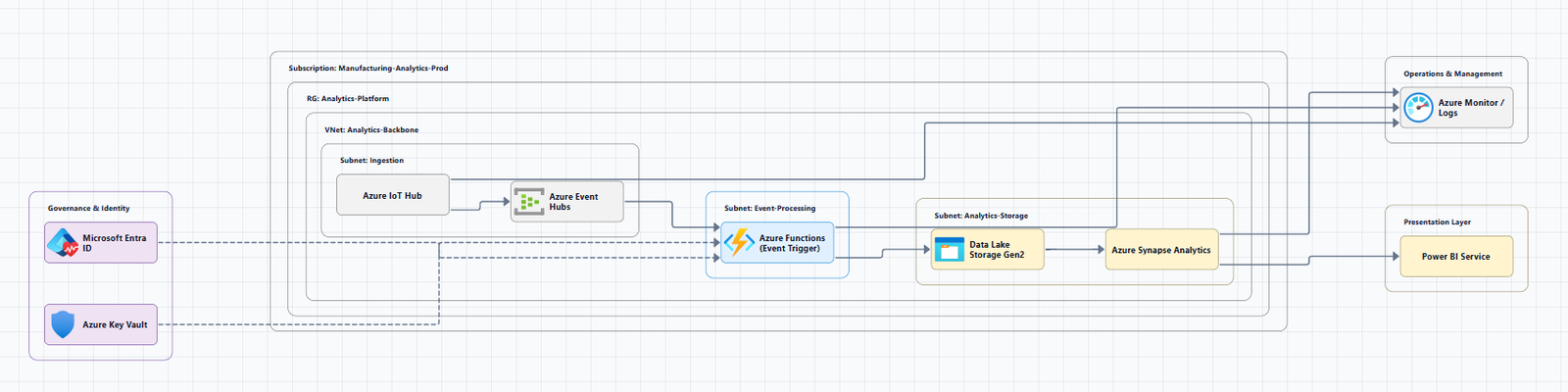
An Azure DevOps architecture diagram is a visual representation of your DevOps workflow, how code moves from a developer's machine through build, test, and deployment stages to production. It shows the services, pipelines, and environments that make up your CI/CD process, along with the integrations and security controls that protect it.
A good diagram answers the critical questions that every team needs to answer:
- Where does code live? (Azure Repos, GitHub)
- How does code get built and tested? (CI pipelines)
- How does it get deployed? (CD pipelines, environments)
- What's the approval process? (Manual interventions, PR reviews)
- How do we know it's working? (Monitoring, observability)
The level of detail depends on who the diagram is for. A high-level view for stakeholders shows stages and environments. A detailed view for engineers shows jobs, tasks, and dependencies.
Core Components of Azure DevOps Architecture
Every Azure DevOps architecture diagram includes these core services. Understanding them is the first step to reading and creating diagrams.
Azure Repos
The source code repository. Azure Repos provides Git repositories for version control, supporting both centralized and distributed workflows.
In a diagram: The starting point of the pipeline, a repository icon with the name of your repo. Code changes flow from this component to the CI pipeline.
Azure Pipelines
The heart of CI/CD. Pipelines automate the build, test, and deployment of your code. Pipelines can be defined using YAML or through the classic visual designer.
Key concepts:
- Stages: Major divisions in a pipeline (build, test, deploy to staging, deploy to production)
- Jobs: Units of work within a stage that run on an agent
- Steps: Individual tasks within a job (e.g., restore, build, test, publish)
In a diagram: A series of interconnected boxes representing the pipeline stages. A PR pipeline, CI pipeline, and CD pipeline are often shown as separate flows.
Azure Boards
Work tracking and planning. Boards manage work items, epics, features, user stories, tasks, and bugs, and support agile, Scrum, and Kanban methodologies.
In a diagram: Often shown as an input to the process, representing the work items that drive code changes. Less frequently shown in pipeline-focused diagrams.
Azure Artifacts
Package management. Artifacts hosts packages (NuGet, npm, Maven, Python) that are consumed by your builds and deployments.
In a diagram: Shown as an intermediate storage location between the CI and CD pipelines. Build artifacts are published here and consumed by deployment pipelines.
Azure Test Plans
Manual and exploratory testing. Test Plans provides tools for creating, managing, and running manual tests.
In a diagram: Often shown as part of the quality gates in the pipeline, especially in regulated environments.
Key Integrations
Azure Key Vault: Stores secrets (connection strings, API keys, certificates) that pipelines need. Pipelines retrieve secrets at runtime, never storing them in code.
Azure Monitor / Application Insights: Provides observability and monitoring for deployed applications. Operators monitor pipeline health and application performance through dashboards and alerts.
Azure Container Registry (ACR): Stores container images for containerized workloads. A key component in AKS and microservices architectures.
Common Azure DevOps Architecture Patterns
Pattern 1: Baseline CI/CD Architecture
The baseline architecture is the foundation for most Azure DevOps implementations. It's a general CI/CD workflow that can be adapted to different deployment targets.
Official Microsoft reference: Azure Pipelines baseline architecture
Download a Visio file: azure-devops-ci-cd-architecture.vsdx
The Diagram
┌─────────────────────────────────────────────────────────────────────────────┐
│                         Developer Workflow                                  │
│  ┌───────────────────────────────────────────────────────────────────────┐ │
│  │  1. Engineer pushes code changes to Azure DevOps Git repository      │ │
│  └───────────────────────────────────────────────────────────────────────┘ │
│                                    │                                        │
│                                    ▼                                        │
│  ┌───────────────────────────────────────────────────────────────────────┐ │
│  │                      PR Pipeline (Pull Request)                       │ │
│  │  ┌─────────┐  ┌─────────┐  ┌─────────┐  ┌─────────────────────┐    │ │
│  │  │ Linting │→│ Restore │→│  Build  │→│    Unit Tests        │    │ │
│  │  └─────────┘  └─────────┘  └─────────┘  └─────────────────────┘    │ │
│  │                                                                       │ │
│  │  If checks pass → PR review → Merge                                  │ │
│  └───────────────────────────────────────────────────────────────────────┘ │
│                                    │                                        │
│                                    ▼                                        │
│  ┌───────────────────────────────────────────────────────────────────────┐ │
│  │                       CI Pipeline (Continuous Integration)            │ │
│  │  ┌─────────┐  ┌─────────┐  ┌─────────┐  ┌─────────────────────┐    │ │
│  │  │  Get    │→│ Linting │→│ Restore │→│       Build         │    │ │
│  │  │ Secrets │  │         │  │         │  │                     │    │ │
│  │  └─────────┘  └─────────┘  └─────────┘  └─────────────────────┘    │ │
│  │                                                                       │ │
│  │  ┌─────────────────────┐  ┌─────────────────────┐                    │ │
│  │  │   Unit Tests        │→│  Integration Tests   │                    │ │
│  │  └─────────────────────┘  └─────────────────────┘                    │ │
│  │                                                                       │ │
│  │  Result: Build artifacts created and published to Azure Artifacts    │ │
│  └───────────────────────────────────────────────────────────────────────┘ │
│                                    │                                        │
│                                    ▼                                        │
│  ┌───────────────────────────────────────────────────────────────────────┐ │
│  │                      CD Pipeline (Continuous Delivery)                │ │
│  │                                                                       │ │
│  │  ┌─────────────────────────────────────────────────────────────────┐ │ │
│  │  │                    Deploy to Staging                            │ │ │
│  │  │  Download artifacts → Deploy → Acceptance tests                │ │ │
│  │  └─────────────────────────────────────────────────────────────────┘ │ │
│  │                                    │                                  │ │
│  │                                    ▼                                  │ │
│  │  ┌─────────────────────────────────────────────────────────────────┐ │ │
│  │  │                 Manual Intervention / Approval                  │ │ │
│  │  └─────────────────────────────────────────────────────────────────┘ │ │
│  │                                    │                                  │ │
│  │                                    ▼                                  │ │
│  │  ┌─────────────────────────────────────────────────────────────────┐ │ │
│  │  │                   Deploy to Production                          │ │ │
│  │  └─────────────────────────────────────────────────────────────────┘ │ │
│  └───────────────────────────────────────────────────────────────────────┘ │
│                                    │                                        │
│                                    ▼                                        │
│  ┌───────────────────────────────────────────────────────────────────────┐ │
│  │                      Monitoring & Observability                      │ │
│  │  ┌─────────────┐  ┌─────────────────────┐  ┌─────────────────────┐  │ │
│  │  │Azure Monitor │  │ Application Insights │  │ Log Analytics      │  │ │
│  │  └─────────────┘  └─────────────────────┘  └─────────────────────┘  │ │
│  └───────────────────────────────────────────────────────────────────────┘ │
└─────────────────────────────────────────────────────────────────────────────┘
Data Flow
PR Pipeline: A pull request to Azure Repos Git triggers a PR pipeline. This pipeline runs fast quality checks: building the code, static code analysis, linting, security scanning, and unit tests. If any checks fail, the developer must make changes. If all checks pass, a PR review is required.
CI Pipeline: A merge to Azure Repos Git triggers the CI pipeline. This runs the same checks as the PR pipeline with important additions, integration tests. These tests may require secrets, which the pipeline retrieves from Azure Key Vault. The result is the creation and publishing of build artifacts.
CD Pipeline Trigger: Publishing artifacts triggers the CD pipeline.
CD Release to Staging: The CD pipeline downloads build artifacts and deploys to staging, then runs acceptance tests. If tests fail, the pipeline ends.
CD Release to Production: After manual approval (or automatically), the pipeline deploys to production.
Monitoring: Operators monitor the pipeline using Azure Monitor, Application Insights, and Log Analytics.
Pattern 2: Microservices on AKS with Azure DevOps
For containerized microservices, the baseline architecture is extended with Azure Container Registry (ACR), AKS, and container-specific tasks.
Official Microsoft reference: Microservices with AKS and Azure DevOps
Download a Visio file: azure-devops-ci-cd-aks-architecture.vsdx
The Diagram
┌─────────────────────────────────────────────────────────────────────────────┐
│                         Developer Workflow                                  │
│  ┌───────────────────────────────────────────────────────────────────────┐ │
│  │  1. Engineer pushes code changes to Azure DevOps Git repository      │ │
│  └───────────────────────────────────────────────────────────────────────┘ │
│                                    │                                        │
│                                    ▼                                        │
│  ┌───────────────────────────────────────────────────────────────────────┐ │
│  │                      PR Pipeline (Pull Request)                       │ │
│  │  ┌─────────┐  ┌─────────┐  ┌─────────┐  ┌─────────────────────┐    │ │
│  │  │ Linting │→│ Restore │→│  Build  │→│    Unit Tests        │    │ │
│  │  └─────────┘  └─────────┘  └─────────┘  └─────────────────────┘    │ │
│  └───────────────────────────────────────────────────────────────────────┘ │
│                                    │                                        │
│                                    ▼                                        │
│  ┌───────────────────────────────────────────────────────────────────────┐ │
│  │                       CI Pipeline (Continuous Integration)            │ │
│  │  ┌─────────┐  ┌─────────┐  ┌─────────┐  ┌─────────────────────┐    │ │
│  │  │  Get    │→│ Linting │→│ Restore │→│       Build         │    │ │
│  │  │ Secrets │  │         │  │         │  │                     │    │ │
│  │  └─────────┘  └─────────┘  └─────────┘  └─────────────────────┘    │ │
│  │                                                                       │ │
│  │  ┌─────────────────────┐  ┌─────────────────────┐                    │ │
│  │  │   Unit Tests        │→│  Integration Tests   │                    │ │
│  │  └─────────────────────┘  └─────────────────────┘                    │ │
│  │                                                                       │ │
│  │  Result: Container image published to non-production ACR             │ │
│  └───────────────────────────────────────────────────────────────────────┘ │
│                                    │                                        │
│                                    ▼                                        │
│  ┌───────────────────────────────────────────────────────────────────────┐ │
│  │                      CD Pipeline (Continuous Delivery)                │ │
│  │                                                                       │ │
│  │  ┌─────────────────────────────────────────────────────────────────┐ │ │
│  │  │              Deploy to Staging AKS Environment                  │ │ │
│  │  │  Deploy YAML template → Acceptance tests                       │ │ │
│  │  └─────────────────────────────────────────────────────────────────┘ │ │
│  │                                    │                                  │ │
│  │                                    ▼                                  │ │
│  │  ┌─────────────────────────────────────────────────────────────────┐ │ │
│  │  │                 Manual Intervention / Approval                  │ │ │
│  │  └─────────────────────────────────────────────────────────────────┘ │ │
│  │                                    │                                  │ │
│  │                                    ▼                                  │ │
│  │  ┌─────────────────────────────────────────────────────────────────┐ │ │
│  │  │              Promote container image to production ACR          │ │ │
│  │  └─────────────────────────────────────────────────────────────────┘ │ │
│  │                                    │                                  │ │
│  │                                    ▼                                  │ │
│  │  ┌─────────────────────────────────────────────────────────────────┐ │ │
│  │  │              Deploy to Production AKS Environment              │ │ │
│  │  └─────────────────────────────────────────────────────────────────┘ │ │
│  └───────────────────────────────────────────────────────────────────────┘ │
│                                    │                                        │
│                                    ▼                                        │
│  ┌───────────────────────────────────────────────────────────────────────┐ │
│  │                    Monitoring & Observability                         │ │
│  │  ┌─────────────┐  ┌─────────────────────┐  ┌─────────────────────┐  │ │
│  │  │  Container  │  │  Azure Monitor      │  │  Application        │  │ │
│  │  │  Insights   │  │                     │  │  Insights           │  │ │
│  │  └─────────────┘  └─────────────────────┘  └─────────────────────┘  │ │
│  └───────────────────────────────────────────────────────────────────────┘ │
└─────────────────────────────────────────────────────────────────────────────┘
Key Differences from Baseline
The AKS variant replaces build artifacts with container images. The CI pipeline publishes a container image to a non-production Azure Container Registry. The CD pipeline deploys a YAML template to the staging AKS environment, specifying the container image from the non-production registry. After staging acceptance tests and manual approval, the CD pipeline promotes the image from the non-production registry to the production registry. Container Insights forwards telemetry to Azure Monitor. Operators monitor the pipeline using Azure Monitor, Application Insights, and Azure Analytics Workspace.
Pattern 3: IaaS (Virtual Machines) with Azure DevOps
For organizations deploying to virtual machines, the IaaS variant focuses on Web Deploy packages and Traffic Manager-based swapping.
Official Microsoft reference: DevOps for IaaS solutions architecture
Download a Visio file: azure-pipelines-iaas-variant-architecture.vsdx
Key Differences from Baseline
The build artifact created for deploying a Web App to IaaS is a Web Deploy package. The CD pipeline deploys the Web Deploy Package to staging Azure Virtual Machines. Release to production is performed by updating Azure Traffic Manager to swap staging and production. Traffic Manager has two endpoints, production enabled, staging disabled. To swap, disable production and enable staging. Rollback is accomplished by swapping back. Virtual Machine Scale Sets can be used to create and manage groups of identical load-balanced VMs.
Pattern 4: GitOps with Azure Arc-enabled Kubernetes
GitOps is an operating model for cloud-native applications that stores application and declarative infrastructure code in Git as the source of truth for automated continuous delivery. This pattern uses Azure Arc, Azure Repos, and Azure Pipelines to implement GitOps across one or more Kubernetes environments.
Key flows:
- A developer makes a change to the Git repository containing Kubernetes manifests
- A pull request triggers validation pipelines
- Upon merge, the CI pipeline updates the GitOps repository
- The GitOps operator (Flux v2) syncs the changes to the Kubernetes cluster
- Azure Arc provides centralized management and governance across clusters
Pattern 5: APIOps (API DevOps)
APIOps applies GitOps and DevOps to API deployments. It uses version control to manage APIs and creates an audit trail of changes to APIs, policies, and operations. This APIOps architecture uses Azure API Management as the API management platform. Azure DevOps organizes API management, Azure Repos provides Git functionality, and Azure Pipelines creates the CI/CD pipeline.
Azure DevOps Architecture Best Practices
1. Treat Pipelines as Code
YAML-based pipelines should be stored in your repository alongside your application code. This enables version control, code review, and consistent environments. Centralize pipeline logic into reusable YAML templates to avoid duplication and drift.
2. Separate CI and CD Concerns
The CI pipeline builds and tests. The CD pipeline deploys. This separation allows you to:
- Run CI on every merge
- Trigger CD only when artifacts are ready
- Control deployment approvals independently
- Reuse the same build artifacts across multiple environments
3. Use Environment-Specific Approvals
Implement manual intervention gates for production deployments. Use branch-based triggers to control which branches deploy to which environments. For enterprise environments, use four stages: Dev, Staging, UAT, and Production.
4. Secure Secrets and Credentials
Never store secrets in code or YAML. Use Azure Key Vault to store and retrieve secrets at runtime. Use managed identities for Azure resources to avoid storing credentials.
5. Implement Quality Gates
PR pipelines should run fast checks: linting, building, and unit tests. CI pipelines should add integration tests and security scanning. CD pipelines should run acceptance tests against staging environments before production deployment.
6. Monitor Everything
Operators should monitor the pipeline using Azure Monitor, Application Insights, and Azure Analytics Workspace. Container Insights provides telemetry for containerized workloads. Set up alerts for pipeline failures and performance degradation.
7. Enable Rollback
Every deployment strategy should include a rollback mechanism. For IaaS, Traffic Manager swapping provides instant rollback. For AKS, Kubernetes rollback capabilities should be part of the CD pipeline.
Tools for Creating Azure DevOps Architecture Diagrams
Official Microsoft Resources
Azure Architecture Center: The primary source for Azure DevOps reference architectures with downloadable Visio files.
- Baseline CI/CD: Visio file
- AKS Microservices: Visio file
- IaaS VMs: Visio file
AI-Powered Tools
AI-powered tools are transforming how DevOps engineers create architecture diagrams. Instead of dragging boxes, you describe your pipeline in natural language, and the tool generates a professional diagram.
AI Line Studio: Generates Azure architecture diagrams from natural language descriptions in 15 to 20 seconds. Describe a DevOps architecture, "a CI/CD pipeline for AKS with Azure Repos, PR validation, CI builds, container registry, and CD with manual approval", and it produces a structured diagram with official Azure icons. For Azure-specific workflows, use the dedicated AI cloud diagram generator. If you're working across multiple providers, the AI architecture diagram builder supports Azure, AWS, GCP, and OCI.
Visual Paradigm AI Cloud Architecture Studio: A browser-based AI tool that aligns your infrastructure with Azure Well-Architected Framework and enterprise best practices. It's the premier Azure architecture visualization tool for building professional blueprints.
Azure-DrawIO-MCP: A free tool that generates editable Draw.io diagrams for Azure architectures via an MCP server. Think of it as a plugin for AI assistants like GitHub Copilot or Claude. Once configured, you can simply ask for a DevOps pipeline diagram.
GenAI-DrawIO-Creator: An AI-powered diagram generation tool that creates, modifies, and enhances diagrams through natural language commands with MCP support for AWS, GCP, Azure, and Kubernetes.
diagram-ai-generator: A professional AI-powered architecture diagram generator with multi-cloud support and MCP server integration. Create diagrams with real provider icons for Azure, AWS, GCP, and Kubernetes.
Manual Diagramming Tools
Draw.io (diagrams.net): A free, browser-based tool with a built-in Azure shape library. Enables you to create professional Azure DevOps architecture diagrams with official Azure icons.
Microsoft Visio: The recommended tool for creating Azure architecture diagrams. Reference architectures in the Azure Architecture Center include downloadable Visio files.
Common Mistakes to Avoid
Mistake 1: Overloading one diagram. Trying to show every job, task, and environment in a single diagram creates visual noise. Use separate diagrams for high-level (stages and environments) and detailed (jobs and tasks) views.
Mistake 2: No directional arrows. Lines without arrows make flow unclear. Always use directional arrows to show the progression from code commit to production.
Mistake 3: No labels. Every pipeline stage, job, and task should be clearly labeled. Don't assume readers will understand your naming conventions.
Mistake 4: Ignoring security boundaries. Not showing where secrets are stored (Key Vault) or where approvals happen misses a critical part of the DevOps story.
Mistake 5: Outdated diagrams. A diagram without a last-updated date is assumed to be wrong. Include metadata and update regularly. Retire diagrams that no longer reflect your current pipeline.
Summary
Azure DevOps architecture diagrams are essential for designing, documenting, and communicating CI/CD workflows. A well-crafted diagram shows how code moves from development through build, test, and deployment to production.
Key takeaways:
| Pattern | Key Components | Use Case |
|---|---|---|
| Baseline CI/CD | Azure Repos, PR pipeline, CI pipeline, CD pipeline, Azure Monitor | General web applications |
| AKS Microservices | Baseline + ACR + AKS + Container Insights | Containerized microservices |
| IaaS VMs | Baseline + Web Deploy packages + Traffic Manager | Virtual machine deployments |
| GitOps | Azure Repos + Azure Pipelines + Azure Arc + Flux | Kubernetes with Git as source of truth |
| APIOps | Azure Repos + Azure Pipelines + Azure API Management | API lifecycle management |
Best practices:
- Treat pipelines as code with YAML
- Separate CI and CD concerns
- Use environment-specific approvals
- Secure secrets with Azure Key Vault
- Implement quality gates at every stage
- Monitor everything with Azure Monitor and Application Insights
- Enable rollback for every deployment
The tooling landscape has shifted. AI-powered generators can now turn natural language descriptions into production-ready Azure DevOps diagrams in seconds, changing the workflow from hours of manual dragging to seconds of generation with minutes of review.
To start creating your own Azure DevOps architecture diagrams, explore the Azure architecture diagram tool for templates and practical examples. For automated diagram generation, try the AI cloud diagram generator to turn a DevOps description into a visual instantly. For complete system architecture beyond CI/CD, the AI system architecture generator covers distributed and enterprise system designs.
Stop spending hours on diagrams that will be outdated next week. Start documenting your Azure DevOps architectures in a way that actually keeps pace with your pipelines.