
Azure Landing Zone Architecture Diagram: Complete Enterprise Guide
An Azure landing zone is the standardized, recommended approach for all organizations utilizing Azure. It provides a consistent way to set up and manage your Azure environment at scale, ensuring consistency across your organization by aligning with key requirements for security, compliance, and operational efficiency.
If you're designing an enterprise Azure environment, the landing zone architecture is your starting point. This guide walks through the complete architecture, management group hierarchy, network topology, design areas, and the tools you can use to create and customize your own diagrams.
Cloud Architecture
Create cloud architecture diagrams for AWS, Azure, GCP, and more. Design scalable infrastructure with professional cloud icons.
Complete guide to Azure landing zone architecture diagrams, platform vs application zones, eight design areas, hub-spoke and Virtual WAN, and tools.
Click Cloud Architecture to open AI Line Studio and generate diagrams from natural language in seconds.
What Is an Azure Landing Zone?
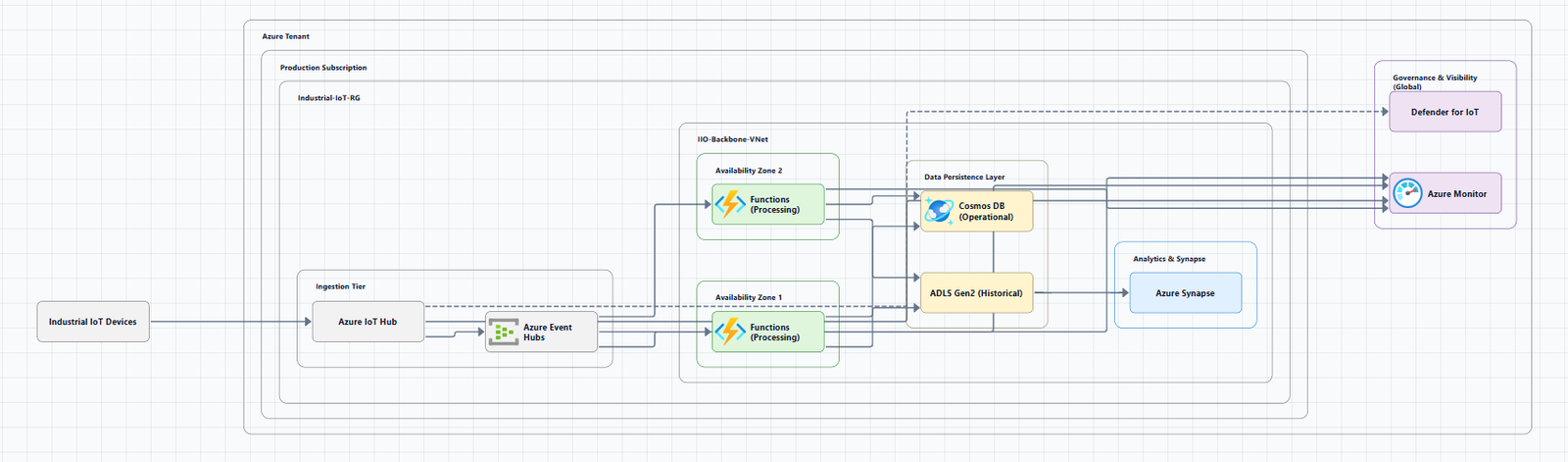
An Azure landing zone is a well-architected, multi-subscription Azure environment that accounts for scale, security, governance, networking, and identity. It provides repeatable infrastructure that allows you to apply configurations and controls to every subscription consistently.
The architecture is scalable and modular to meet various deployment needs. Modules make it easy to deploy and modify specific Azure landing zone architecture components as your requirements evolve.
Platform vs. Application Landing Zones
An Azure landing zone consists of one platform landing zone and one or more application landing zones:
Platform landing zone: Provides shared services (identity, connectivity, management) to applications. Consolidating these shared services often improves operational efficiency. One or more central teams manage these services. In the reference architecture, the "Identity subscription," "Management subscription," and "Connectivity subscription" are components of the platform landing zone.
Application landing zone: Contains the resources for hosting a single workload or application.
Core Design Principles
The Azure landing zone reference architecture is built on a set of core design principles that serve as a compass for subsequent design decisions across critical technical domains. These principles guide decisions across the eight design areas described below.
The Eight Design Areas
The Azure landing zone reference architecture is organized around eight critical design areas. These are grouped into two categories: environment foundations and compliance & operations capabilities.
Environment Design Areas
| Design Area | Objective |
|---|---|
| Azure Billing and Microsoft Entra Tenant | Proper tenant creation, enrollment, and billing setup are important early steps |
| Identity and Access Management | Identity and access management is a primary security boundary in the public cloud. It's the foundation for any secure and fully compliant architecture |
| Management Group and Subscription Organization | As cloud adoption scales, considerations for subscription design and management group hierarchy have an impact on governance, operations management, and adoption patterns |
| Network Topology and Connectivity | Networking and connectivity decisions are an equally important foundational aspect of any cloud architecture |
Compliance Design Areas
| Design Area | Objective |
|---|---|
| Security | Implement controls and processes to protect your cloud environments |
| Management | For stable, ongoing operations, a management baseline is required to provide visibility, operations compliance, and protect and recover capabilities |
| Governance | Automate auditing and enforcement of governance policies |
| Platform Automation and DevOps | Enable CI/CD and automation for platform resources |
These design areas describe what to consider before deploying a landing zone. Together, they establish a process to aid in exploring otherwise complex topics.
Azure Landing Zone Reference Architecture Diagram
The Azure landing zone reference architecture represents an opinionated target architecture for your Azure landing zone. You should use this reference architecture as a starting point and tailor it to meet your needs.
High-Level Architecture Overview
The Cloud Adoption Framework enterprise-scale landing zone architecture represents the strategic design path and target technical state for an organization's Azure environment.
The reference architecture illustrates the relationships between its eight design areas. You can follow design area concepts indicated with the letters "A" through "I" in the design area diagram to illustrate the hierarchy of resource organization.
Management Group Hierarchy
The reference architecture shows a sample management group hierarchy. It organizes subscriptions (yellow boxes) by management group:
- Subscriptions under the "Platform" management group host shared services that comprise the platform landing zone
- Subscriptions under the "Landing zone" management group represent the application landing zones
The reference architecture shows five subscriptions in detail, allowing you to see the resources in each subscription and the policies applied.
Downloadable Diagram Files
Microsoft provides official Visio and PDF files of the landing zone architecture:
- Visio file: enterprise-scale-architecture.vsdx
- PDF file: enterprise-scale-architecture.pdf
You can download and modify these files to fit your specific business and technical requirements when planning your landing zone implementation.
Network Topology Options
The enterprise-scale architecture supports two recommended network topologies:
1. Hub-and-Spoke Network Topology
The traditional Azure network topology based on the hub-and-spoke architecture is the recommended Azure networking topology for most enterprises.
Hub VNet: Contains shared platform services including Azure Firewall, Bastion, Private DNS zones, and Log Analytics workspace.
Spoke VNets: Isolated workloads that peer to the hub VNet. The spoke VNet address space must not overlap with the hub VNet.
When to use: Organizations that need customized, enhanced-security, large-scale networks in Azure with managed routing and security.
2. Azure Virtual WAN Network Topology
Azure Virtual WAN is a Microsoft-managed networking service that provides global, dynamic, and transitive connectivity across Azure regions and on-premises environments.
Key features:
- Simplifies end-to-end network connectivity in Azure
- Easily scales to support multiple Azure regions and on-premises locations (any-to-any connectivity)
- Supports virtual network-to-virtual network, virtual network-to-branch, branch-to-virtual network, and branch-to-branch paths within and across regions
Diagram: Shows two regions, each containing multiple VNets connected to a Virtual WAN hub, with hubs linked by a hub-to-hub connection for inter-region communication.
Network Design Recommendations
Use one or more Virtual WAN Hubs per Azure region. The goal is to connect multiple application landing zones together across Azure regions by way of a common global Azure Virtual WAN.
Place all Virtual WAN resources, Azure Firewall, and the Azure DDoS standard protection plan in the connectivity subscription of your Azure landing zone.
Use Azure DDoS Protection: Create a single Azure DDoS Network Protection plan in the connectivity subscription. All application landing zone virtual networks and platform virtual networks should use this plan.
AI Landing Zone Reference Architecture
For organizations building AI applications, the Azure AI Landing Zone provides an enterprise-scale, production-ready reference architecture designed to deploy secure and resilient AI applications and agents on Azure.
Key features:
- Secure, resilient, and scalable reference architecture
- Reference implementations available in Bicep, Terraform, and Portal
- Supports two deployment shapes with a topology switch
Tools for Creating Azure Landing Zone Architecture Diagrams
Official Microsoft Resources
Azure Architecture Center: The primary source for official landing zone reference architectures, design areas, and downloadable Visio files.
Downloadable Visio files: Available for both hub-and-spoke and Virtual WAN topologies.
AI-Powered Tools
AI Line Studio: Generates Azure architecture diagrams from natural language descriptions in seconds. Describe a landing zone, "an Azure enterprise landing zone with management groups, hub-spoke networking, and platform landing zone subscriptions", and it produces a structured diagram with official Azure icons. For Azure-specific workflows, use the dedicated AI cloud diagram generator.
Azure-DrawIO-MCP: Generates editable Azure architecture diagrams in Draw.io format using an MCP server. Think of it as a plugin for AI assistants like GitHub Copilot or Claude. Once configured, you can simply ask for an Azure landing zone diagram.
Azure Cloud AI Visualizer: An open-source web application for visually designing Azure architecture diagrams, generating grounded Infrastructure-as-Code (Bicep and Terraform), and orchestrating deployments.
GenAI-DrawIO-Creator: A Next.js web application that integrates AI capabilities with draw.io diagrams. You can create, modify, and enhance diagrams through natural language commands.
Azure Architecture Autopilot: A pipeline that designs Azure infrastructure using natural language, or analyzes existing resources to visualize architecture and proceed through modification and deployment.
Infrastructure-as-Code Accelerators
Azure landing zone portal accelerator: Deploys a full implementation of the conceptual architecture with opinionated configurations for management groups and policies.
Reference implementations: Available via the Azure Architecture Center's "Deployment options" section, with GitHub repositories for Bicep and Terraform implementations.
Tailoring the Architecture
The Azure landing zone reference architecture should be used as a starting point and tailored to meet your needs. Key considerations:
- Management group hierarchy: Create new management groups (e.g., PCI) underneath the Landing Zones management group and assign additional policies as needed.
- Landing zone archetypes: Define what needs to be true to ensure a landing zone meets expected environment and compliance requirements at a specific scope.
- Transition existing environments: Migrate and transition your existing environment into the conceptual architecture of Azure landing zones with minimal disruption to active workloads.
Summary
| Component | Description |
|---|---|
| Platform Landing Zone | Shared services (identity, connectivity, management) |
| Application Landing Zones | Resources for hosting workloads/applications |
| Management Group Hierarchy | Organizes subscriptions by management group |
| Hub-and-Spoke | Traditional network topology with centralized hub |
| Virtual WAN | Microsoft-managed global, transitive connectivity |
| Design Areas | 8 areas across environment and compliance |
To start building your own Azure landing zone architecture diagrams, explore the Azure architecture diagram tool for templates and examples. For automated diagram generation, try the AI cloud diagram generator to turn a landing zone description into a visual instantly. For complete enterprise system architecture, the AI system architecture generator covers distributed and enterprise system designs.