
AI Mermaid Diagram Editor
Write, visualize, and edit diagrams using Mermaid syntax with AI. AI Line Studios is building a Mermaid diagram editor that will allow you to convert Mermaid code into clean, structured diagrams instantly.
This feature will soon enable developers and teams to create, edit, and visualize Mermaid diagrams without relying on manual code formatting or external tools.
Create cloud architecture diagrams for AWS, Azure, GCP, and more. Design scalable infrastructure with professional cloud icons.
AI Line Studios will combine Mermaid code editing with AI-powered visualization so you can move from syntax to clean diagrams instantly.
You will be able to edit visuals and keep code in sync without switching tools.
What is a Mermaid Diagram Editor
A Mermaid diagram editor is a tool that allows users to create diagrams using Mermaid.js syntax and visualize them as flowcharts, sequence diagrams, and system diagrams.
AI Line Studios is developing a Mermaid diagram editor that will simplify this process by combining code input with AI-powered visualization and editing.
Convert Mermaid Code to Diagrams Instantly (Coming Soon)
AI Line Studios will enable you to:
- Convert Mermaid code into visual diagrams
- Edit diagrams without modifying code
- Generate Mermaid diagrams using AI from text
- Create flowcharts, sequence diagrams, ER diagrams, and more
- Visualize architecture and system diagrams
- Avoid complex Mermaid syntax corrections
This will make it a powerful AI Mermaid diagram editor for developers, engineers, and technical teams.
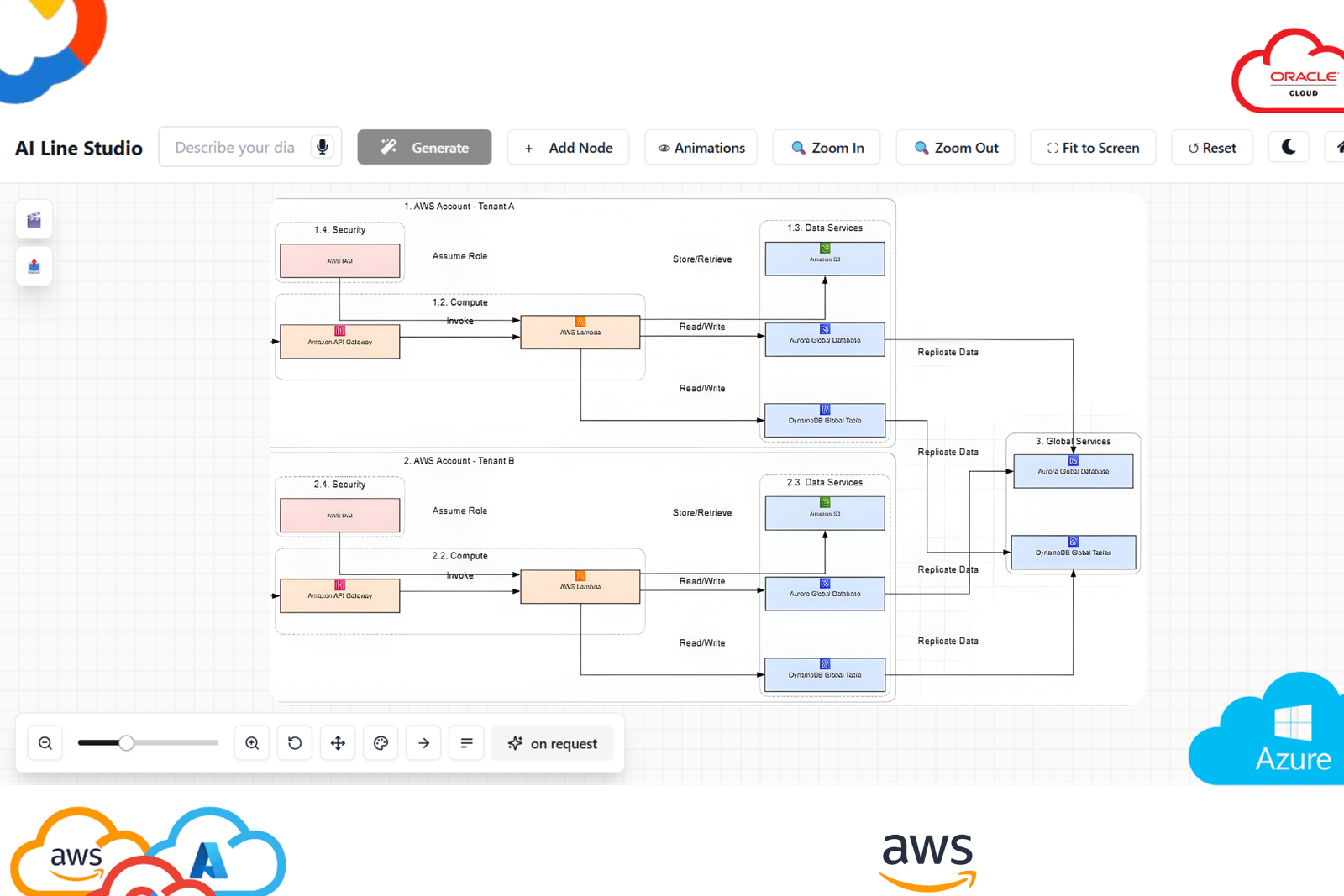
What you can generate
Generate complete diagrams with nodes, labels, and connections tailored to your scenario.
How to start
Describe your system in plain language, review the output, and refine instantly with one-click edits.
How Mermaid Diagram Editing Will Work in AI Line Studios
Once this feature is released, using the Mermaid editor will be simple:
Step 1: Open AI Line Studios
Go to ailinestudio.com and log in to your workspace.
Step 2: Open Workspace
Access your dashboard where diagram tools are available.
Step 3: Select Mermaid Diagram Editor (Coming Soon)
Choose the Mermaid editor option from the workspace.
Step 4: Paste or Write Mermaid Code
Enter your Mermaid syntax.
Example:
graph TD
A[User] --> B[Login]
B --> C[Dashboard]
Step 5: Generate the Diagram
Click generate to instantly visualize your Mermaid diagram.
Step 6: Edit Visually
Modify nodes, connections, and structure directly without rewriting code.
Step 7: Sync Code and Diagram
Changes made visually will reflect in the Mermaid code and vice versa.
Why Use AI Line Studios for Mermaid Diagrams
AI Line Studios is designed to remove friction from Mermaid diagram creation, combine code and visual editing, generate diagrams using AI, and simplify diagram workflows without syntax complexity.
Explore all the other diagram generator
Frequently Asked Questions
A Mermaid diagram editor is a tool that allows users to create diagrams using Mermaid.js syntax and visualize them as flowcharts, sequence diagrams, and more. AI Line Studios will provide an AI-powered Mermaid editor for easier diagram creation.