
AI User Flow Diagram Generator
Create structured user flow diagrams instantly using AI. AI Line Studios is building a user flow diagram generator that will convert your product flows, app navigation, and user interactions into clear visual diagrams in seconds.
This feature will soon allow you to generate user flow diagrams using AI-powered templates designed for real product and UX scenarios.
Create cloud architecture diagrams for AWS, Azure, GCP, and more. Design scalable infrastructure with professional cloud icons.
AI Line Studios will generate user flow diagrams from your product navigation logic and help you map user actions, decisions, and transitions instantly.
Built for UX and product teams with template-driven workflows and one-click customization.
What is a User Flow Diagram Generator
A user flow diagram generator is a tool that visualizes how users move through a product, website, or application from entry point to final action.
AI Line Studios is developing a user flow diagram generator that will allow you to create structured diagrams showing screens, actions, decisions, and navigation paths without manual design.
Generate User Flow Diagrams from Text and Templates (Coming Soon)
AI Line Studios will enable you to:
- Generate user flow diagrams from text
- Use ready-made UX templates for faster creation
- Visualize app navigation and user paths
- Map decision points and screen transitions
- Edit flows instantly without design tools
This will make it a powerful AI user flow diagram generator for UX designers, product teams, and founders.
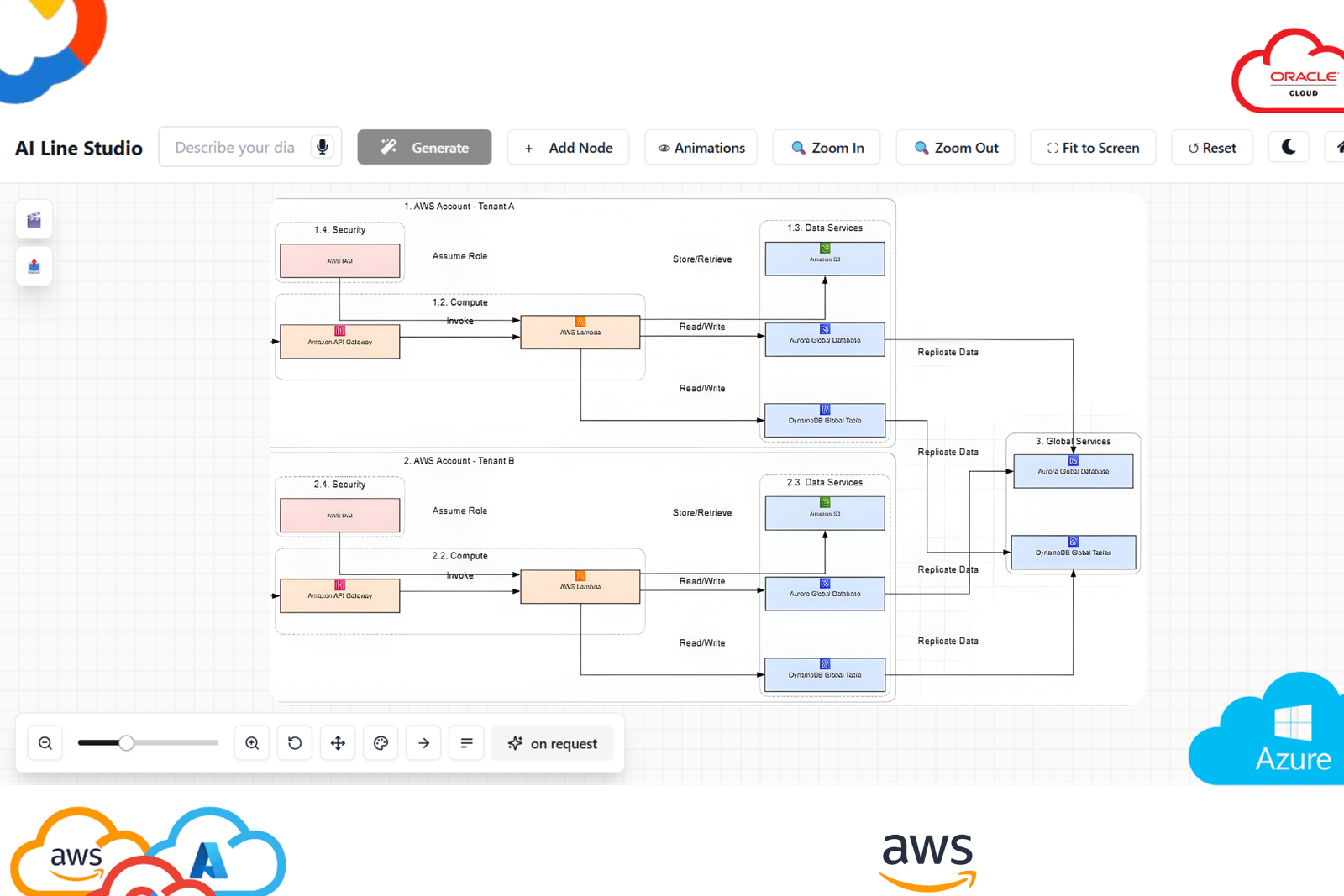
What you can generate
Generate complete diagrams with nodes, labels, and connections tailored to your scenario.
How to start
Describe your system in plain language, review the output, and refine instantly with one-click edits.
How User Flow Diagram Generation Will Work in AI Line Studios
Once this feature is released, creating user flow diagrams will be simple:
Step 1: Open AI Line Studios
Go to ailinestudio.com and log in to your workspace.
Step 2: Open Workspace
Access your dashboard where diagram tools are available.
Step 3: Select User Flow Diagram Generator (Coming Soon)
Choose the user flow diagram option from the workspace once available.
Step 4: Choose a Template
Select from pre-built templates designed for apps, websites, and product flows.
Step 5: Create a New Canvas
Name your canvas based on your product or user journey.
Step 6: Describe Your User Flow
Enter your product flow or navigation logic.
Example:
User opens app, lands on homepage, browses products, selects item, adds to cart, completes checkout
Step 7: Generate the Diagram
Click generate to create a structured user flow diagram within seconds.
Step 8: Edit and Customize Instantly
Edit screens, flows, and connections with a single click without using design software.
Why Use AI Line Studios for User Flow Diagrams
AI Line Studios is designed to remove manual UX diagram creation, combine AI generation with templates, support real product flows, and allow one-click editing without complexity.
Explore all the other diagram generator
Frequently Asked Questions
A user flow diagram generator is a tool that creates diagrams showing how users navigate through a product or system. AI Line Studios will generate structured user flow diagrams automatically from text or templates.