
AI User Journey Map Generator
Create clear and structured user journey maps instantly using AI. AI Line Studios is a user journey map generator that converts your user flows, experiences, and interactions into visual maps in seconds.
Whether you are designing product experiences, mapping customer journeys, or optimizing funnels, you can generate user journey maps from simple text input without manual design.
Create cloud architecture diagrams for AWS, Azure, GCP, and more. Design scalable infrastructure with professional cloud icons.
Create clear and structured user journey maps instantly using AI. AI Line Studios transforms your user flow descriptions into stage-wise journey maps with touchpoints and decisions.
Ideal for UX design, product onboarding, marketing funnels, and customer experience optimization.
What is a User Journey Map Generator
A user journey map generator is a tool that converts user behavior, interactions, and touchpoints into visual diagrams that represent how users experience a product or service.
AI Line Studios enables you to generate journey maps that clearly show user stages, actions, emotions, and decision points. It removes the need to manually design UX diagrams and ensures clarity and structure.
Generate User Journey Maps from Text
With AI Line Studios, you can describe your user experience and instantly generate a structured journey map.
You can:
- Create user journey maps from text
- Visualize customer journeys and touchpoints
- Map user actions, decisions, and emotions
- Generate UX journey diagrams for products
- Edit nodes and flows instantly
- Avoid manual UX tools
This makes it a powerful user journey map generator for UX designers, product managers, and marketers.
What you can generate
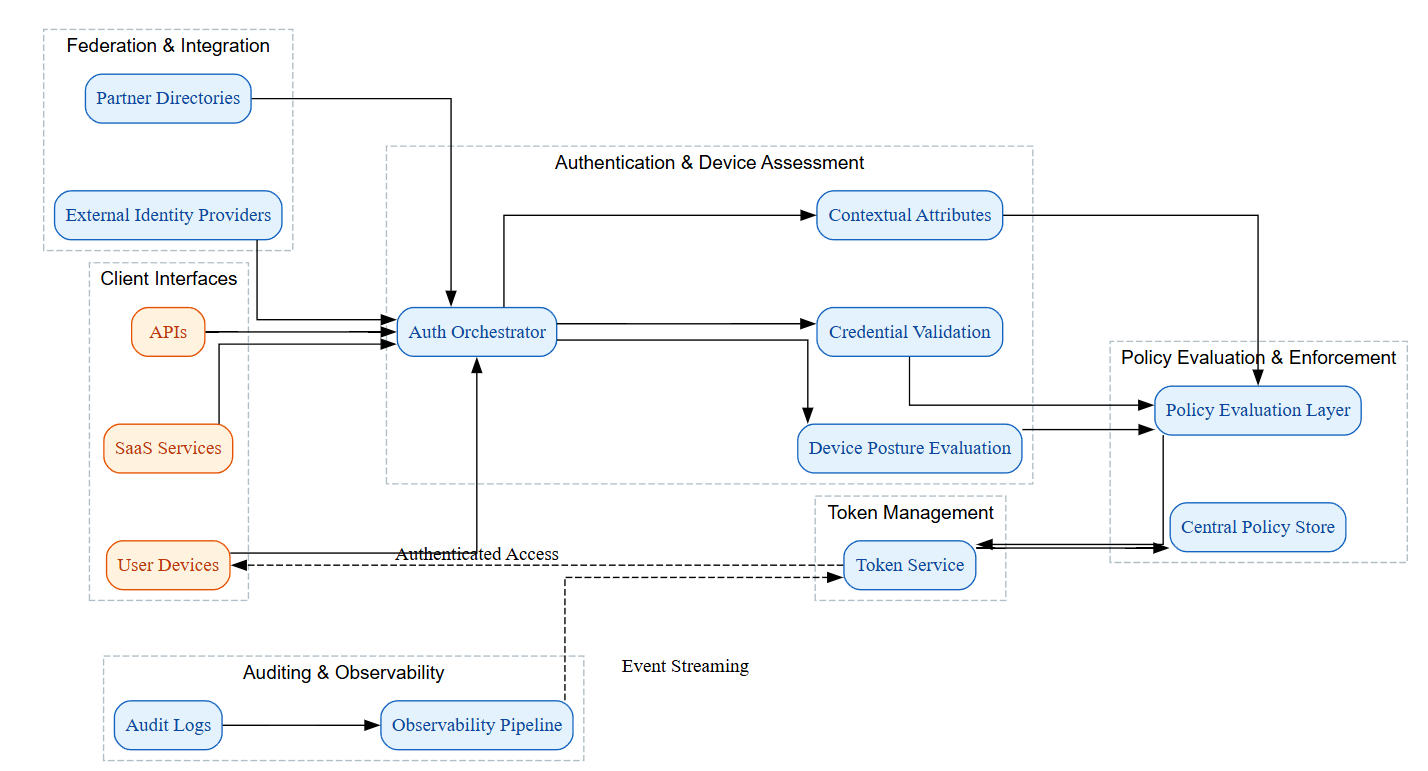
Generate complete diagrams with nodes, labels, and connections tailored to your scenario.
How to start
Describe your system in plain language, review the output, and refine instantly with one-click edits.
How to Create a User Journey Map using AI Line Studios
Follow these steps to generate your journey map:
Step 1: Open AI Line Studios
Go to your browser and search for ailinestudio.com. Open the website to access the platform.
Step 2: Sign Up and Log In
Click on the Sign Up button on the top right corner. Log in using your Gmail account.
Step 3: Open Workspace
After logging in, you will be redirected to your workspace dashboard.
Step 4: Select User Journey Map Generator
Inside the workspace, click on the User Journey Map Generator option.
Step 5: Create a New Canvas
Name your canvas based on your product, funnel, or user flow.
Step 6: Describe the User Journey
In the input box on the top right, describe your user journey step by step.
Example:
User discovers product through social media, visits website, browses features, signs up, onboarding starts, user explores product, upgrades to paid plan
Step 7: Generate the Diagram
Click on Generate. Within 15 to 20 seconds, AI Line Studios will create your user journey map automatically.
Step 8: Edit and Customize Instantly
Click on any step to edit stages, labels, or connections. Modify everything without writing any code.
Why Use AI Line Studios for User Journey Maps
AI Line Studios removes manual UX diagram creation, generates structured journey maps from text, supports real user experience flows, allows one-click editing, and produces diagrams quickly with high clarity and accuracy.
Explore all the other diagram generator
Frequently Asked Questions
A user journey map generator is a tool that creates diagrams representing how users interact with a product or service across different stages. AI Line Studios generates structured journey maps automatically from text input.